


Vai al contenuto
View in the app

A better way to browse. Learn more.

mega MINI forum

A full-screen app on your home screen with push notifications, badges and more.

To install this app on iOS and iPadOS
  1. Tap the Share icon in Safari
  2. Scroll the menu and tap Add to Home Screen.
  3. Tap Add in the top-right corner.
To install this app on Android
  1. Tap the 3-dot menu (⋮) in the top-right corner of the browser.
  2. Tap Add to Home screen or Install app.
  3. Confirm by tapping Install.

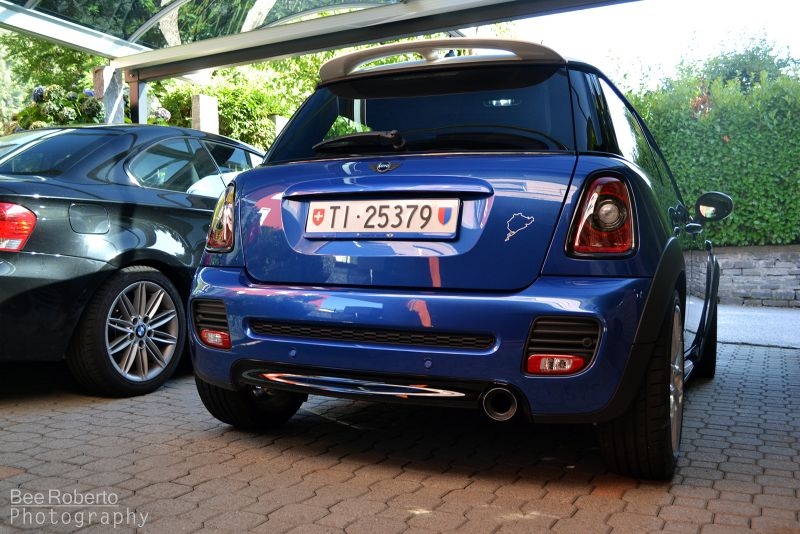
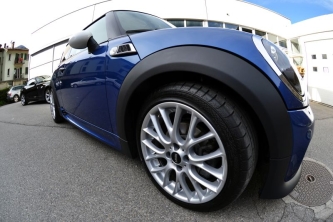
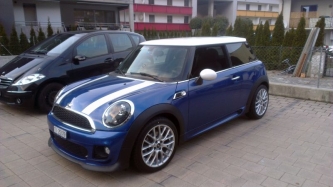
Con i nuovi UP :D

Nuovi UP:

Finalino JCW

Black-Line completa

Retronebbia trasparente

Pinze freni Lightning Blue

Tappo Cooper S in carbonio

Maniglie in carbonio

Vari dettagli in nero lucido

Eliminazione scritta Cooper D e bonnet stripes

Copyright

© (C) 2013 Roberto Bee
    • Like 1

    Dall'album:

    MINI Cooper D roby-21

    · 8 immagini

    Informazioni foto per Con i nuovi UP :D

    • Scattata con NIKON CORPORATION NIKON D3100
    • Lunghezza focale 22 mm
    • Tempo di esposizione 1/100
    • Apertura focale f/5.0
    • ISO Speed 400

    Account

    Navigation

    Cerca

    Cerca

    Configure browser push notifications

    Chrome (Android)
    1. Tap the lock icon next to the address bar.
    2. Tap Permissions → Notifications.
    3. Adjust your preference.
    Chrome (Desktop)
    1. Click the padlock icon in the address bar.
    2. Select Site settings.
    3. Find Notifications and adjust your preference.