Vai al contenuto
View in the app

A better way to browse. Learn more.

mega MINI forum

A full-screen app on your home screen with push notifications, badges and more.

To install this app on iOS and iPadOS
  1. Tap the Share icon in Safari
  2. Scroll the menu and tap Add to Home Screen.
  3. Tap Add in the top-right corner.
To install this app on Android
  1. Tap the 3-dot menu (⋮) in the top-right corner of the browser.
  2. Tap Add to Home screen or Install app.
  3. Confirm by tapping Install.

Classifica

Contenuto Popolare

Mostra il contenuto con la massima reputazione di 05/01/2020 in Risposte

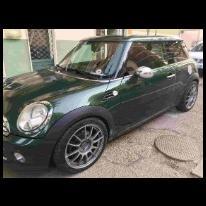
  1. Eccomi con il primo post! Appena sostituite le H4 con delle Philips X-Treme Vision, strano a dirsi ma si sarei aspettato un codice di errore per il minor assorbimento ma forse mi sbaglio perche' magari queste nuove assorbono uguale?Scusate ma sono un po' ignorante in materia 😅 Il prossimo passo e' il pacchetto delle luci diurne e fendinebbia che compongono il trittico in basso W5W PSX24W H8 Qualcuno di voi le ha gia' cambiate? Comunque che emozione aprire il cofano e vedere il logo BMW! Niente barra che tiene su il cofano ma due elegantissimi pistoni Grazie a tutti!

Account

Navigation

Cerca

Cerca

Configure browser push notifications

Chrome (Android)
  1. Tap the lock icon next to the address bar.
  2. Tap Permissions → Notifications.
  3. Adjust your preference.
Chrome (Desktop)
  1. Click the padlock icon in the address bar.
  2. Select Site settings.
  3. Find Notifications and adjust your preference.