Vai al contenuto
View in the app

A better way to browse. Learn more.

mega MINI forum

A full-screen app on your home screen with push notifications, badges and more.

To install this app on iOS and iPadOS
  1. Tap the Share icon in Safari
  2. Scroll the menu and tap Add to Home Screen.
  3. Tap Add in the top-right corner.
To install this app on Android
  1. Tap the 3-dot menu (⋮) in the top-right corner of the browser.
  2. Tap Add to Home screen or Install app.
  3. Confirm by tapping Install.

Time Attack Misano

Featured Replies

Inviato

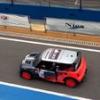
ecco alcune foto di questo weekend passato a Misano per la prima gara di campionato Time Attack. Purtroppo per me mi sono dovuto ritirare perchè mi stavo intossicando con i gas di scarico e non riuscivo a tenere gli occhi aperti...

Time_Attack_Misano_imp.jpg
Time_Attack_Misano_25_imp.jpg
Time_Attack_Misano_30_imp.jpg
Time_Attack_Misano_32_imp.jpg
Time_Attack_Misano_41_imp.jpg
Time_Attack_Misano_46_imp.jpg
Time_Attack_Misano_51_imp.jpg
Time_Attack_Misano_54_imp.jpg
Time_Attack_Misano_65_imp.jpg
Time_Attack_Misano_69_imp.jpg
Time_Attack_Misano_79_imp.jpg

Account

Navigation

Cerca

Cerca

Configure browser push notifications

Chrome (Android)
  1. Tap the lock icon next to the address bar.
  2. Tap Permissions → Notifications.
  3. Adjust your preference.
Chrome (Desktop)
  1. Click the padlock icon in the address bar.
  2. Select Site settings.
  3. Find Notifications and adjust your preference.