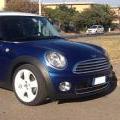
antoniofox Inviato 21 Giugno 2016 Segnala Condividi Inviato 21 Giugno 2016 (modificato) salve a tutti, ho un dubbio e spero che la community abbia una risposta, ho il sospetto che manchi qualche pezzo che regge il paraurti posteriore della mia mini cooper D, nel dettaglio in corrispondenza del retronebbia ho notato che dalla parte interna del paraurti sulla parte nera c'è un asola sporgente, siccome il paraurti in quel punto seconde me si muove troppo non vorrei mancasse un supportino, qualcuno può cortesemente darmi un aiuto basterebbe anche una foto di una mini in configurazione originale visto che la mia purtroppo l'ho presa usata, grazie a tutti per la collaborazione e buon lavoro. Modificato 21 Giugno 2016 da antoniofox Link al commento Condividi su altri siti Altre opzioni di condivisione...

Messaggi raccomandati