
Vai al contenuto
View in the app

A better way to browse. Learn more.

mega MINI forum

A full-screen app on your home screen with push notifications, badges and more.

To install this app on iOS and iPadOS
  1. Tap the Share icon in Safari
  2. Scroll the menu and tap Add to Home Screen.
  3. Tap Add in the top-right corner.
To install this app on Android
  1. Tap the 3-dot menu (⋮) in the top-right corner of the browser.
  2. Tap Add to Home screen or Install app.
  3. Confirm by tapping Install.

Inside1

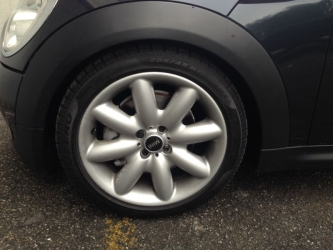
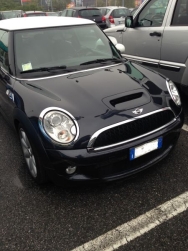
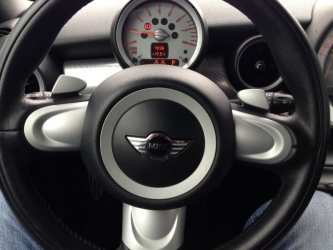
Mini Cooper S R56 del 2008 nero Astro black (almeno credo è quello tendente al blu)

Navigatore

Fari allo xenon

Cambio automatico/sequenziale/paddle

Assetto (non so quale sia montato ma nn è quello di serie è per terra la macchina)

interni tessuto mista pelle black,cielo black

Pacchetto luci colorate

Piu avanti farò modifiche

listelli neri

body-kit JCW

Cerchi JCW black (non so ancora quali)

Striscie solo contorni bianche

Vetri post neri

  • Dall'album:

    Finalmente è arrivata

    · 10 immagini

    Informazioni foto per Inside1

    • Scattata con Apple iPhone 5
    • Lunghezza focale 4.1 mm
    • Tempo di esposizione 1/20
    • Apertura focale f/2.4
    • ISO Speed 80

    Account

    Navigation

    Cerca

    Cerca

    Configure browser push notifications

    Chrome (Android)
    1. Tap the lock icon next to the address bar.
    2. Tap Permissions → Notifications.
    3. Adjust your preference.
    Chrome (Desktop)
    1. Click the padlock icon in the address bar.
    2. Select Site settings.
    3. Find Notifications and adjust your preference.