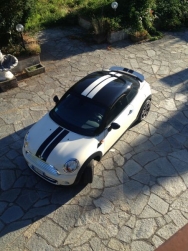
Pello
Utente forum
-
Iscritto
-
Ultima visita
Tutti i contenuti di Pello
-
Benvenuto!! :D
 ahahahahah ora il premio lo voglio eh?!? :Pbenvenuto concittadino!!!!! :oleeeeee:Mi viene da piangere :'( me povero e tapino senza turbo :(
 Antenna già comprata, dovrebbe arrivare domani (5cm) Già che ci sei hai voglia di darmi un tuo parere qui? http://www.megamini.it/forum/index.php?/topic/32537-consiglio-su-fasce-laterali-cooper/io proporrei un saluto molto sobrio (ovviamente in senso ironico xD), con la mano a formare una spanna fuori dal finsetrino :nose: ahahahahRagazzi, ho trovato su ebay degli adesivi a fascia da applicare a 1 cm dalle minigonne circa. Vi allego il link sotto. Voi che dite, li prendo o sta meglio così com'è? ecco il link. http://www.ebay.it/itm/Adesivi-MINI-COOPER-fasce-lateriali-mini-cooper-S-sport-turbo-tuning-stickers-/390628631195?pt=Accessori_Ciclismo&var&hash=item5af347e29b&_uhb=1 la mia mini è visibile nella mia firma ;)
Chissà perchè questa foto è quella con più visualizzazioni! eheheheh
Antenna già comprata, dovrebbe arrivare domani (5cm) Già che ci sei hai voglia di darmi un tuo parere qui? http://www.megamini.it/forum/index.php?/topic/32537-consiglio-su-fasce-laterali-cooper/io proporrei un saluto molto sobrio (ovviamente in senso ironico xD), con la mano a formare una spanna fuori dal finsetrino :nose: ahahahahRagazzi, ho trovato su ebay degli adesivi a fascia da applicare a 1 cm dalle minigonne circa. Vi allego il link sotto. Voi che dite, li prendo o sta meglio così com'è? ecco il link. http://www.ebay.it/itm/Adesivi-MINI-COOPER-fasce-lateriali-mini-cooper-S-sport-turbo-tuning-stickers-/390628631195?pt=Accessori_Ciclismo&var&hash=item5af347e29b&_uhb=1 la mia mini è visibile nella mia firma ;)
Chissà perchè questa foto è quella con più visualizzazioni! eheheheh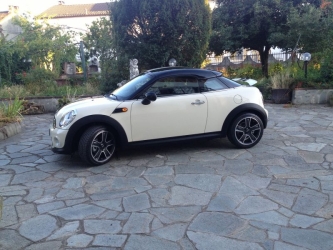 Sicuramente se passi da un cooper s a questa senti la differenza XD
Con diretto al posto del silnziatorino centrale ha perso qualcosa in ripresa ma ha guadagnato agli alti. Per l'uso che ne faccio io non mi lamento. Certamente non è un jcw!! :)
Sicuramente se passi da un cooper s a questa senti la differenza XD
Con diretto al posto del silnziatorino centrale ha perso qualcosa in ripresa ma ha guadagnato agli alti. Per l'uso che ne faccio io non mi lamento. Certamente non è un jcw!! :)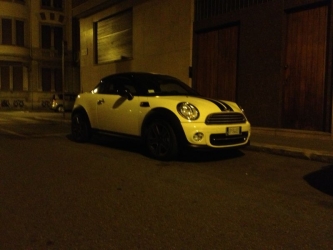
Dall'album: Gitarella in campagna!
Dall'album: Gitarella in campagna!
Account
Navigation
Cerca
Configure browser push notifications
Chrome (Android)
- Tap the lock icon next to the address bar.
- Tap Permissions → Notifications.
- Adjust your preference.
Chrome (Desktop)
- Click the padlock icon in the address bar.
- Select Site settings.
- Find Notifications and adjust your preference.
Safari (iOS 16.4+)
- Ensure the site is installed via Add to Home Screen.
- Open Settings App → Notifications.
- Find your app name and adjust your preference.
Safari (macOS)
- Go to Safari → Preferences.
- Click the Websites tab.
- Select Notifications in the sidebar.
- Find this website and adjust your preference.
Edge (Android)
- Tap the lock icon next to the address bar.
- Tap Permissions.
- Find Notifications and adjust your preference.
Edge (Desktop)
- Click the padlock icon in the address bar.
- Click Permissions for this site.
- Find Notifications and adjust your preference.
Firefox (Android)
- Go to Settings → Site permissions.
- Tap Notifications.
- Find this site in the list and adjust your preference.
Firefox (Desktop)
- Open Firefox Settings.
- Search for Notifications.
- Find this site in the list and adjust your preference.