


christian
Utente forum
-
Iscritto
-
Ultima visita
Tutti i contenuti di christian
-
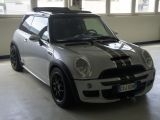
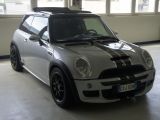
Ciao a tutti, siccome devo cambiare i dischi e pastiglie anteriori volevo qualche consiglio, volevo qualcosa che mi desse una frenata un po più decisa visto che monta il kit jcw, visto che lavoro in montagna e salgo e scendo tutti i giorni per tornare a casa o notato che si surriscaldano avete qualche consiglio? Grazie mille a tuttiPiccola domanda come faccio ad avere una mini cooper s r50 a libretto, se le mini r 50 non sono s?Ciao, mi presento sono christian ho comprato da circa 6 mesi una mini cooper s r50 jcw, sono contento di fare parte di questo gruppo
Account
Navigation
Cerca
Configure browser push notifications
Chrome (Android)
- Tap the lock icon next to the address bar.
- Tap Permissions → Notifications.
- Adjust your preference.
Chrome (Desktop)
- Click the padlock icon in the address bar.
- Select Site settings.
- Find Notifications and adjust your preference.
Safari (iOS 16.4+)
- Ensure the site is installed via Add to Home Screen.
- Open Settings App → Notifications.
- Find your app name and adjust your preference.
Safari (macOS)
- Go to Safari → Preferences.
- Click the Websites tab.
- Select Notifications in the sidebar.
- Find this website and adjust your preference.
Edge (Android)
- Tap the lock icon next to the address bar.
- Tap Permissions.
- Find Notifications and adjust your preference.
Edge (Desktop)
- Click the padlock icon in the address bar.
- Click Permissions for this site.
- Find Notifications and adjust your preference.
Firefox (Android)
- Go to Settings → Site permissions.
- Tap Notifications.
- Find this site in the list and adjust your preference.
Firefox (Desktop)
- Open Firefox Settings.
- Search for Notifications.
- Find this site in the list and adjust your preference.