Vai al contenuto
View in the app

A better way to browse. Learn more.

mega MINI forum

A full-screen app on your home screen with push notifications, badges and more.

To install this app on iOS and iPadOS
  1. Tap the Share icon in Safari
  2. Scroll the menu and tap Add to Home Screen.
  3. Tap Add in the top-right corner.
To install this app on Android
  1. Tap the 3-dot menu (⋮) in the top-right corner of the browser.
  2. Tap Add to Home screen or Install app.
  3. Confirm by tapping Install.

Nigoz87

Utente forum
  • Iscritto

  • Ultima visita

  1. Sono d'accordo con te.. ma io sono un semplice cliente giustamente "ignorante" in materia che si affida quasi completamente al concessionario rappresentato dal "venditore".. Normalmente lui dovrebbe consigliarti e aiutarti.. Ma oltre a essere un comportamento scorretto, non è anche illegale? Cioè io se me ne accorgo dopo non posso fare piu' niente? Dico "cavolo mi ha fregato" ora mi sfogo nel forum e basta? L'importante è guadagnare il + possibile poi chi si è visto si è visto? Bella m...a
  2. mi è stato detto che l'auto quando arriva può fare solo 5 km/h e ingrana solo prima e retromarcia.. e in + include la ceratura..
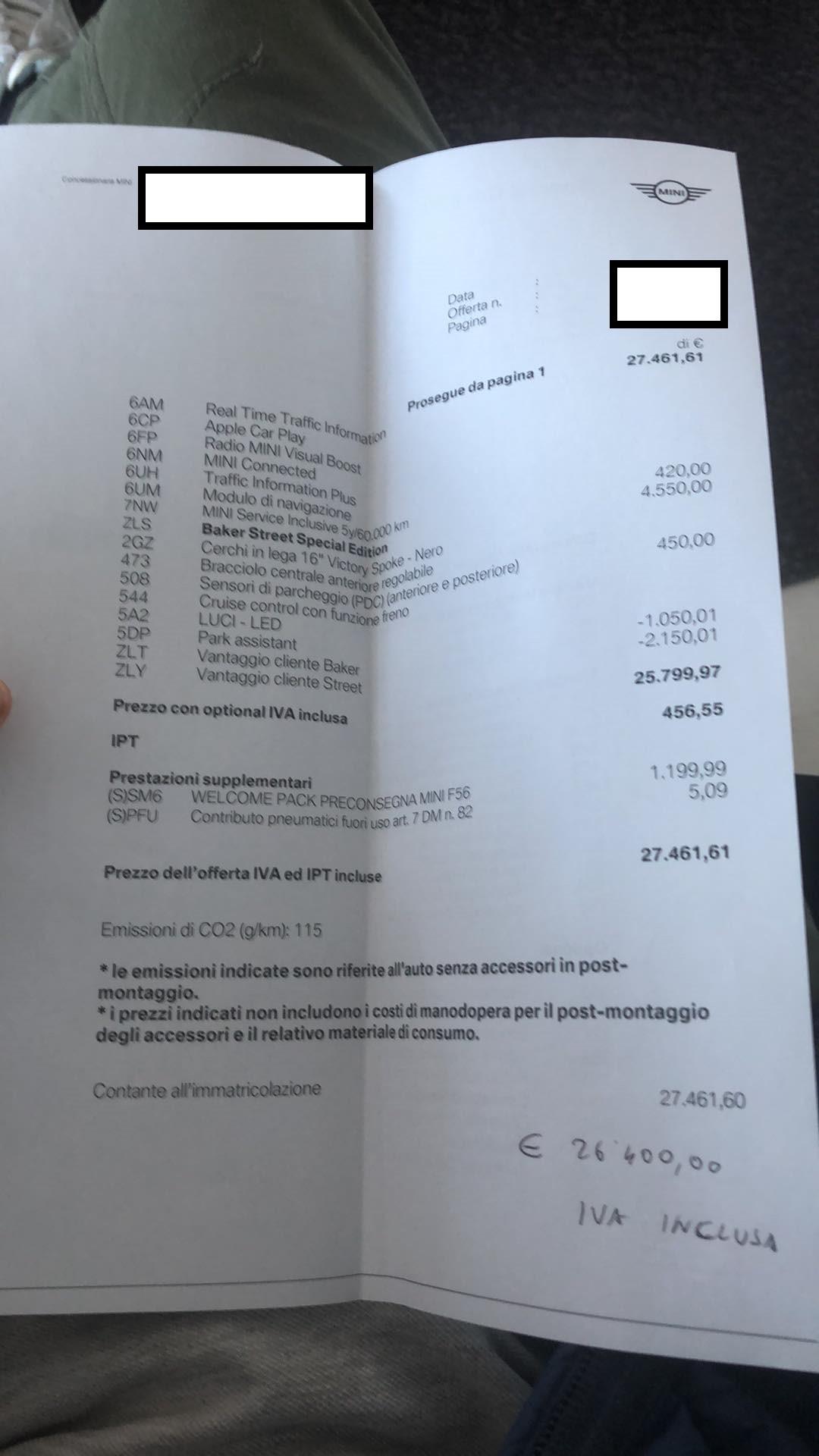
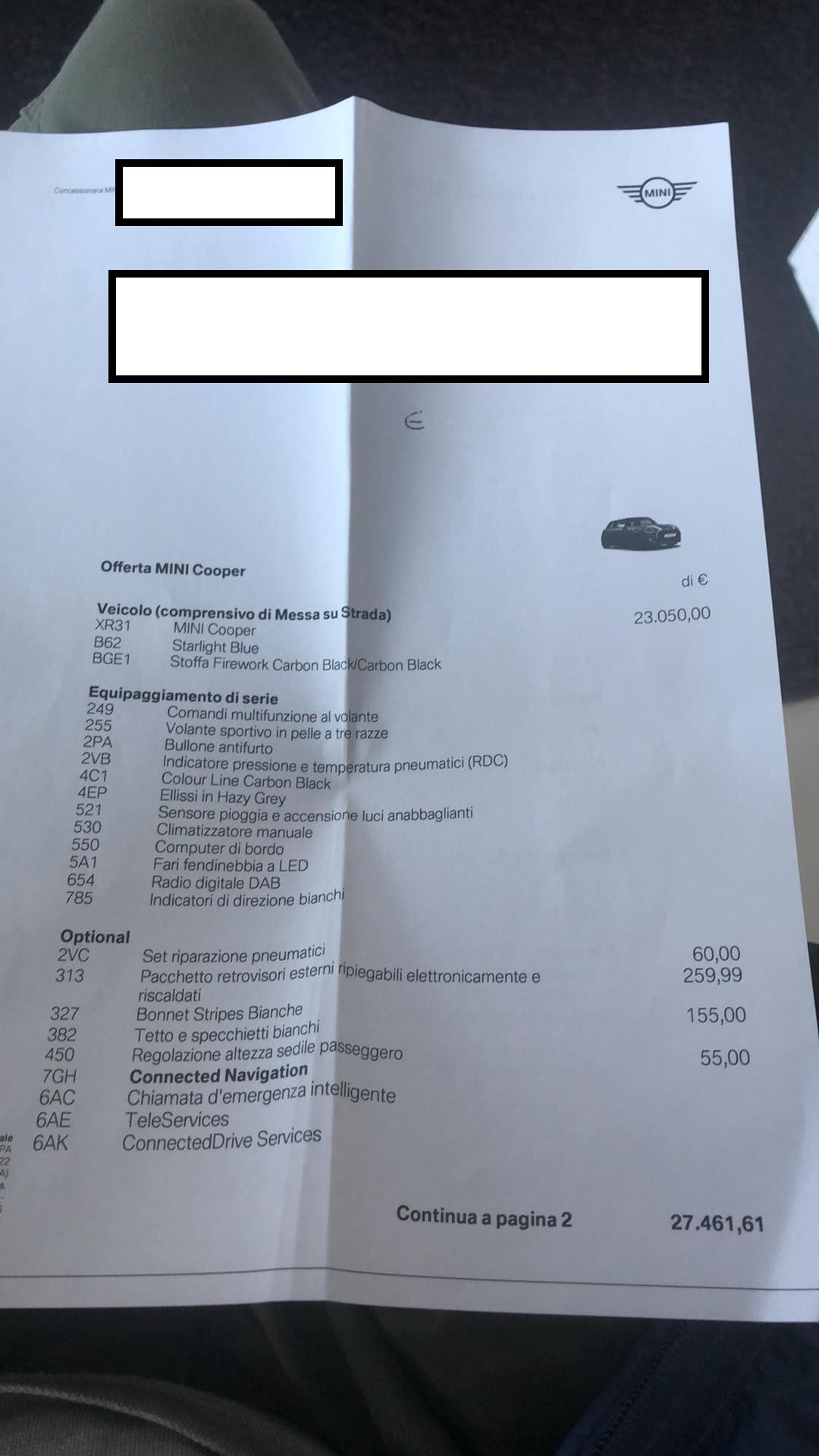
  3. Ciao ragazzi, vi allego le due foto del preventivo che mi hanno fatto per la mini cooper baker street edition. Cosa ne pensate?
Account

Navigation

Cerca

Cerca

Configure browser push notifications

Chrome (Android)
  1. Tap the lock icon next to the address bar.
  2. Tap Permissions → Notifications.
  3. Adjust your preference.
Chrome (Desktop)
  1. Click the padlock icon in the address bar.
  2. Select Site settings.
  3. Find Notifications and adjust your preference.