Vai al contenuto
View in the app

A better way to browse. Learn more.

mega MINI forum

A full-screen app on your home screen with push notifications, badges and more.

To install this app on iOS and iPadOS
  1. Tap the Share icon in Safari
  2. Scroll the menu and tap Add to Home Screen.
  3. Tap Add in the top-right corner.
To install this app on Android
  1. Tap the 3-dot menu (⋮) in the top-right corner of the browser.
  2. Tap Add to Home screen or Install app.
  3. Confirm by tapping Install.

chopipoppp

Utente forum
  • Iscritto

  • Ultima visita

Tutti i contenuti di chopipoppp

  1. chopipoppp ha risposto a chopipoppp nella discussione New megaMINI DRIVERS
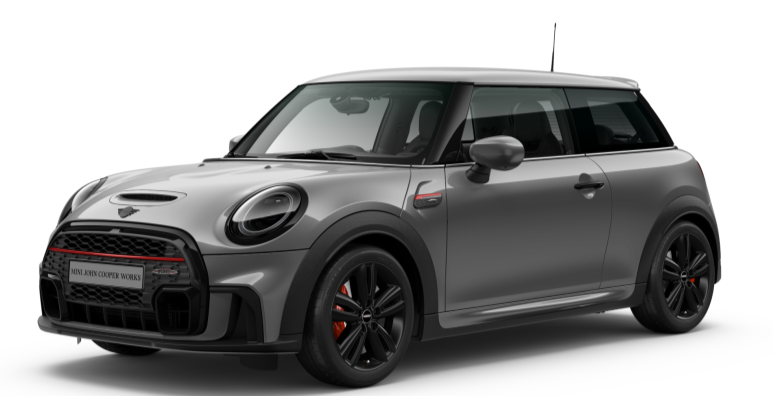
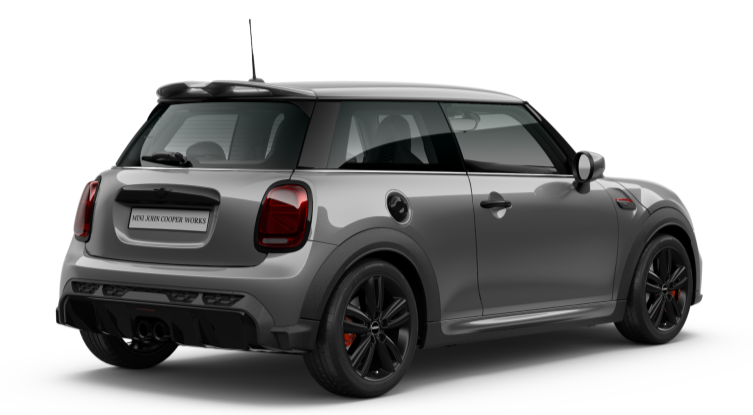
    Ciao! Sisi è una JCW a tutti gli effetti, non ho messo il pacchetto supplementare JCW comprensivo di cerchi da 18" e qualche altro gingillino
  2. chopipoppp ha risposto a chopipoppp nella discussione New megaMINI DRIVERS
    17" con il classico disegno a 5 razze.
  3. chopipoppp ha risposto a chopipoppp nella discussione New megaMINI DRIVERS
    Avrei voluto il tetto e gli specchi neri ma purtroppo da configuratore era possibile solamente con il Pacchetto JCW da ben 4000€. Pacchetto che ho scartato a priori visto il cerchio da 18'' che proprio non mi andava giù. Sarà sicuramente una delle prime cose che farò appena ritirata insieme ad uno scarico, avendo l'OPF temo fortemente in un sound deludente.
  4. chopipoppp ha risposto a chopipoppp nella discussione New megaMINI DRIVERS
  5. chopipoppp ha pubblicato una discussione in New megaMINI DRIVERS
    Ciao ragazzi, sono appena entrato nel forum dopo l'ordinazione della mia prima MINI in arrivo a fine maggio/inizio giugno!


Account

Navigation

Cerca

Cerca

Configure browser push notifications

Chrome (Android)
  1. Tap the lock icon next to the address bar.
  2. Tap Permissions → Notifications.
  3. Adjust your preference.
Chrome (Desktop)
  1. Click the padlock icon in the address bar.
  2. Select Site settings.
  3. Find Notifications and adjust your preference.