Vai al contenuto
View in the app

A better way to browse. Learn more.

mega MINI forum

A full-screen app on your home screen with push notifications, badges and more.

To install this app on iOS and iPadOS
  1. Tap the Share icon in Safari
  2. Scroll the menu and tap Add to Home Screen.
  3. Tap Add in the top-right corner.
To install this app on Android
  1. Tap the 3-dot menu (⋮) in the top-right corner of the browser.
  2. Tap Add to Home screen or Install app.
  3. Confirm by tapping Install.

Matteo1703

Utente forum
  • Iscritto

  • Ultima visita

Tutti i contenuti di Matteo1703

  1. Matteo1703 ha pubblicato una discussione in New megaMINI DRIVERS
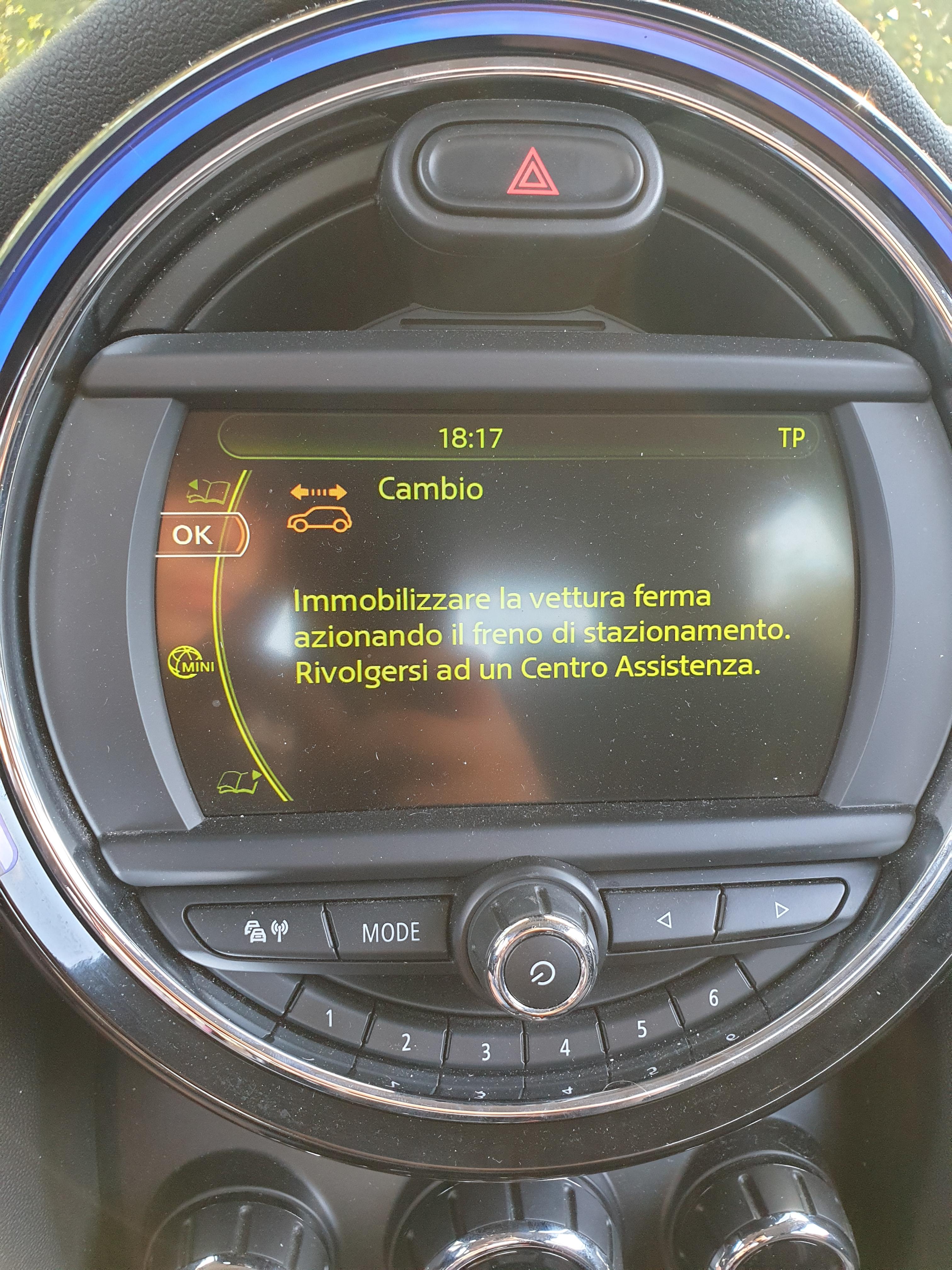
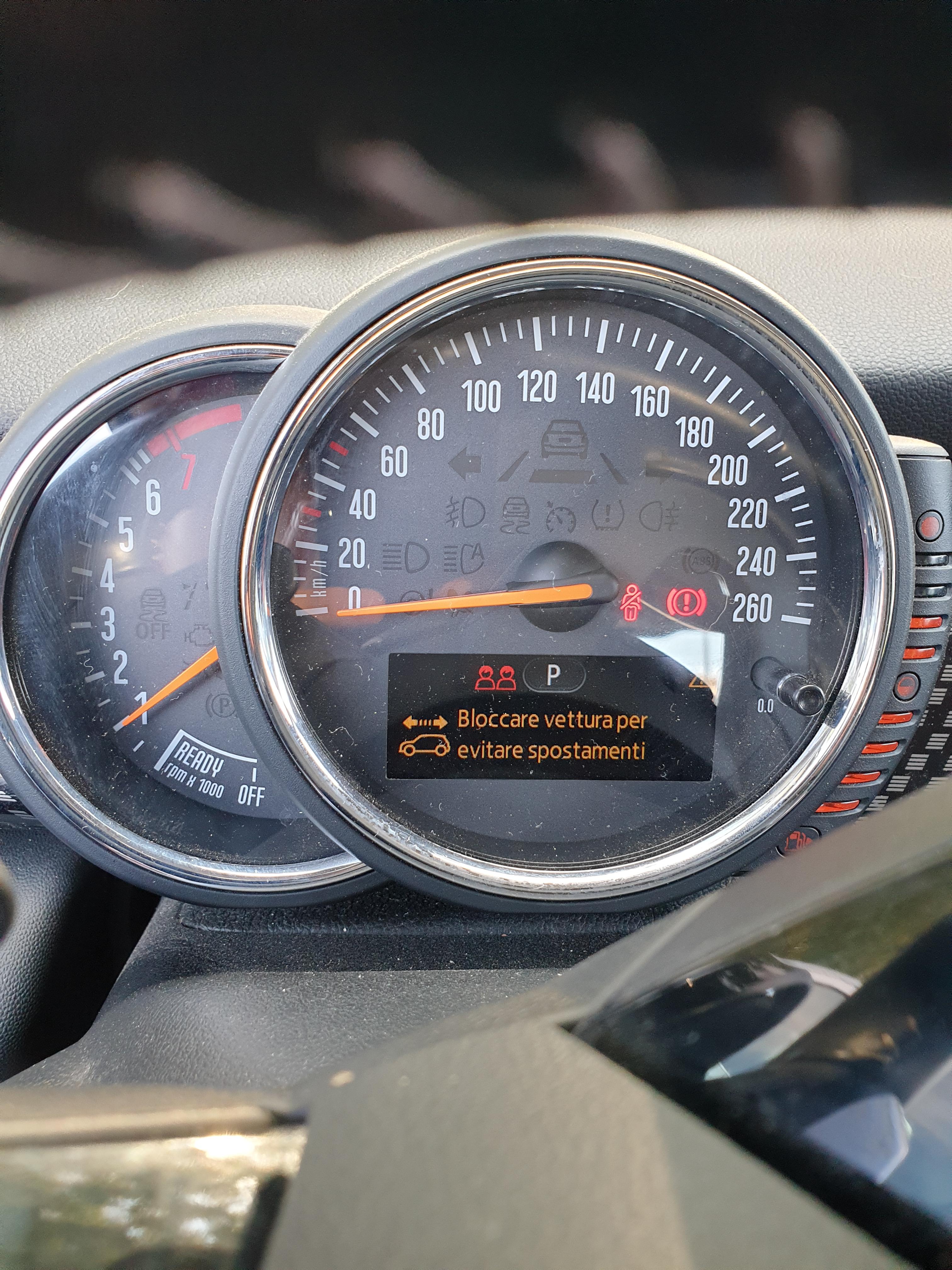
    Buongiorno, è da ormai un mese che ho un allarme alla mia mini cooper s f56. In poche parole quando spengo la macchina, inserisco la P e tiro il freno a mano e dopo pochi secondi esce l'allarme di azionare il freno di stazionamento nonostante sul display piccolo legge che sono attivi sia la P che il freno a mano. Dopodiché una volta accesa la macchina e mettendo in D l'allarme va via. Sono andato in 2 officine (non bmw) e con la diagnosi non hanno trovato nessun errore. Per caso sapete darmi una indicazione su come fare per risolvere? Questo sabato andrò in bmw per farmi fare una diagnosi anche da loro sperando che non mi chiedano una follia
Account

Navigation

Cerca

Cerca

Configure browser push notifications

Chrome (Android)
  1. Tap the lock icon next to the address bar.
  2. Tap Permissions → Notifications.
  3. Adjust your preference.
Chrome (Desktop)
  1. Click the padlock icon in the address bar.
  2. Select Site settings.
  3. Find Notifications and adjust your preference.