Ale r53
Socio 2014
-
Iscritto
-
Ultima visita
Tutti i contenuti di Ale r53
-
fabiocc e pioli mandatemi i vostri num via mess privato che vi aggiungo alla chat dei ministi!

Dall'album: Mini cooper s r56 lci
Genovesi!!! Andiamo a questo raduno?? Andate a leggere il link! http://www.federclubmini.it/eventi-federclubmini/item/108-salso-motor-mini-meeting.html ottimo!!!!!!
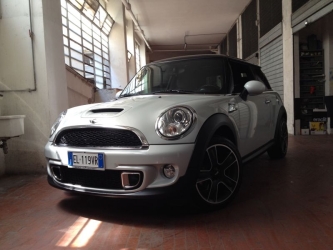 bravo!! anche un bel cerchio racing!!
uguale alla mia!! metti i listelli neri!! vedrai come cambia!!
bravo!! anche un bel cerchio racing!!
uguale alla mia!! metti i listelli neri!! vedrai come cambia!! non devo guardare la tua mini!!! troppo bella e con gli up che devo fare anche io!!! Assetto e poi pista!!!
ma che bella frenanza!!!!!!!!!!!!!!!!!!!!!!!!!
non devo guardare la tua mini!!! troppo bella e con gli up che devo fare anche io!!! Assetto e poi pista!!!
ma che bella frenanza!!!!!!!!!!!!!!!!!!!!!!!!!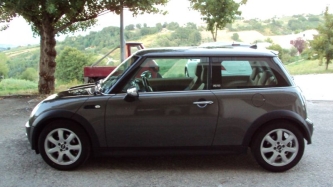 challenge!!!!!!!!!!!!!!!!
 come va con l'airbox jcw?? hai l'elemento filtrante originale o bmc e simili? Vorrei sapere le tue impressioni dato che lo sto x acquistare anche io!allora gente ci si vede una di queste sere con tutte le minozze??
 come ti trovi con lo step 2 rispetto allo stock?
 metti l'antennino corto!!
come dotazioni full full!! ma manca un po' di sostanza!!assetto, scarico, filtro, mappa e piccoli dettagli!!
metti l'antennino corto!!
come dotazioni full full!! ma manca un po' di sostanza!!assetto, scarico, filtro, mappa e piccoli dettagli!!Account
Navigation
Cerca
Configure browser push notifications
Chrome (Android)
- Tap the lock icon next to the address bar.
- Tap Permissions → Notifications.
- Adjust your preference.
Chrome (Desktop)
- Click the padlock icon in the address bar.
- Select Site settings.
- Find Notifications and adjust your preference.
Safari (iOS 16.4+)
- Ensure the site is installed via Add to Home Screen.
- Open Settings App → Notifications.
- Find your app name and adjust your preference.
Safari (macOS)
- Go to Safari → Preferences.
- Click the Websites tab.
- Select Notifications in the sidebar.
- Find this website and adjust your preference.
Edge (Android)
- Tap the lock icon next to the address bar.
- Tap Permissions.
- Find Notifications and adjust your preference.
Edge (Desktop)
- Click the padlock icon in the address bar.
- Click Permissions for this site.
- Find Notifications and adjust your preference.
Firefox (Android)
- Go to Settings → Site permissions.
- Tap Notifications.
- Find this site in the list and adjust your preference.
Firefox (Desktop)
- Open Firefox Settings.
- Search for Notifications.
- Find this site in the list and adjust your preference.