suomytp
Utente forum
-
Iscritto
-
Ultima visita
-
suomytp ha cambiato la sua immagine del profilo
-
 Ormai sono il suo pusher.. ;) Vai Luka, sempre più bella..
 -
Cito testualmente da Elaborare "...Ciascun automobilista avrà la possibilità di montare sulla propria vettura gomme e cerchi diversi da quelli indicati in carta di circolazione o sul libretto di uso e manutenzione con una procedura più snella, più veloce e meno onerosa... " Qui la notizia http://www.elaborare.com/44538-decreto-omologazione-cerchi-minstero-trasporti-omologazione-ruote-pneumatici-omologati-assoruote-corrado-bergagna/
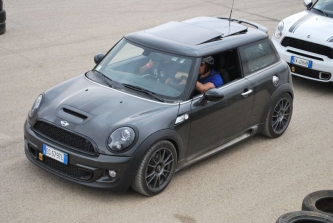
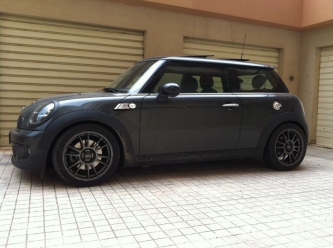
 Spettacolare simo.. SPETTACOLARE !!! Noto anche un tappo benzina nero :P
 Gli specchi sono pronti, listello da sistemare, e stiamo preparando la presa d'aria
Ma il listello griglia nero? Per il resto è bellissima, ci vorrebbero almeno 4 molle e un pò di carbonio :P
Gli specchi sono pronti, listello da sistemare, e stiamo preparando la presa d'aria
Ma il listello griglia nero? Per il resto è bellissima, ci vorrebbero almeno 4 molle e un pò di carbonio :P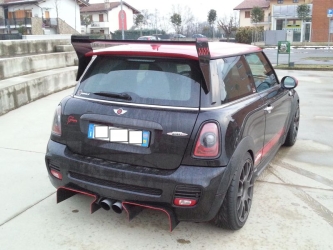 sbavvv.. ;)
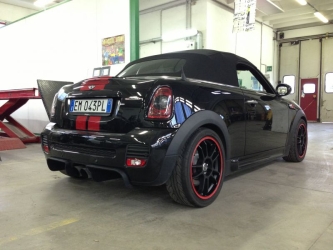 Spettacolare alfio, secondo me manca solo lo spoiler JCW
 Che belle che sono, complimenti ad antrambiTony, cos'hai in mente? :huh:
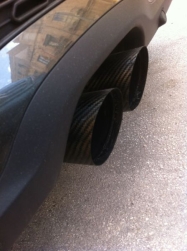 Io le ho applicate con del silicone per alte temperature, dopo 2 mesi sono ancora li, ovviamente con i gas di scarico si saldano completamente
sono delle cover fatte ad hoc per lo stepII, assieme ad un amico produciamo particolari per la mini in carbonio.
Si :) o meglio, l'ho caricata per farti vedere cosa ho fatto io sullo stepII, non riuscivo a caricare l'immagine come risposta nel tuo post!
Io le ho applicate con del silicone per alte temperature, dopo 2 mesi sono ancora li, ovviamente con i gas di scarico si saldano completamente
sono delle cover fatte ad hoc per lo stepII, assieme ad un amico produciamo particolari per la mini in carbonio.
Si :) o meglio, l'ho caricata per farti vedere cosa ho fatto io sullo stepII, non riuscivo a caricare l'immagine come risposta nel tuo post!