


Coky11
Utente forum
-
Iscritto
-
Ultima visita
Tutti i contenuti di Coky11
-
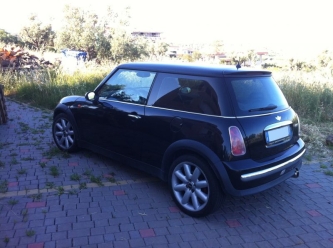 Grazie Dani :)
 -
Grazie Albyy :)
-
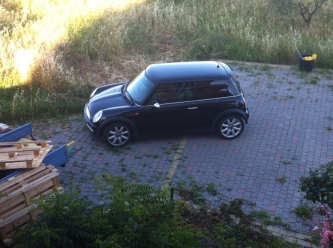
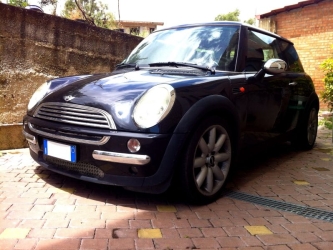
Dall'album: La Mia Mini
-
-
Dall'album: La Mia Mini
-
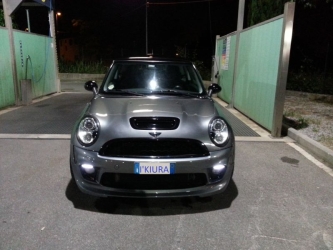 Una bomba Danii :)
 -
-
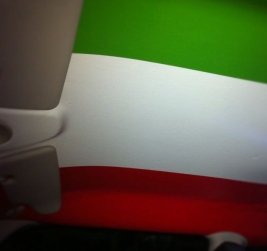 A me l'ha fatto un mio amico tipografo, ma è un pezzo unico cioè è tutta la bandiera non è a pezzi... :) Comunque prova ad andare da qualche tipografo dalle tue parti e domandati che lo dovrebbero fare.. :)
 Si è quello che ho intenzione di fare se riesco a trovare qualche buona occasione sui paraurti :)
Ciao alex è un foglio di pvc adesivo, tenere tiene però io per sicurezza oltre alla colla dell'adesivo o fatto un piccolo strato con un pennello di colla :)
Ma ovvio che no! non reggerebbe mai sulla stoffa! è stato tolto tutto.. stoffa e spugna :)
Pvc
Si è quello che ho intenzione di fare se riesco a trovare qualche buona occasione sui paraurti :)
Ciao alex è un foglio di pvc adesivo, tenere tiene però io per sicurezza oltre alla colla dell'adesivo o fatto un piccolo strato con un pennello di colla :)
Ma ovvio che no! non reggerebbe mai sulla stoffa! è stato tolto tutto.. stoffa e spugna :)
Pvc
Dall'album: La Mia Mini
Dall'album: La Mia Mini
Cerchi supernova 17" e Pzero nero!Per caso sapete dirmi le misure esatte del pannello ?







Account
Navigation
Cerca
Configure browser push notifications
Chrome (Android)
- Tap the lock icon next to the address bar.
- Tap Permissions → Notifications.
- Adjust your preference.
Chrome (Desktop)
- Click the padlock icon in the address bar.
- Select Site settings.
- Find Notifications and adjust your preference.
Safari (iOS 16.4+)
- Ensure the site is installed via Add to Home Screen.
- Open Settings App → Notifications.
- Find your app name and adjust your preference.
Safari (macOS)
- Go to Safari → Preferences.
- Click the Websites tab.
- Select Notifications in the sidebar.
- Find this website and adjust your preference.
Edge (Android)
- Tap the lock icon next to the address bar.
- Tap Permissions.
- Find Notifications and adjust your preference.
Edge (Desktop)
- Click the padlock icon in the address bar.
- Click Permissions for this site.
- Find Notifications and adjust your preference.
Firefox (Android)
- Go to Settings → Site permissions.
- Tap Notifications.
- Find this site in the list and adjust your preference.
Firefox (Desktop)
- Open Firefox Settings.
- Search for Notifications.
- Find this site in the list and adjust your preference.