Vai al contenuto
View in the app

A better way to browse. Learn more.

mega MINI forum

A full-screen app on your home screen with push notifications, badges and more.

To install this app on iOS and iPadOS
  1. Tap the Share icon in Safari
  2. Scroll the menu and tap Add to Home Screen.
  3. Tap Add in the top-right corner.
To install this app on Android
  1. Tap the 3-dot menu (⋮) in the top-right corner of the browser.
  2. Tap Add to Home screen or Install app.
  3. Confirm by tapping Install.

Featured Replies

Inviato

Ciao a tutti ! Sono Matteo, e sono molto felice di far parte del vostro forum!

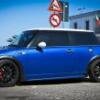
Vi presento la mia mini....

1965023_10203431026599241_368714200_n.jp

1391682_10202399585653862_1239063540_n.j

MINI COOPER S JCW r53 2nd ed. 210cv > 228cv
-------------
collettori acciaio + kat 200
cavi bobbine
puleggia albero alta p.
kit brembo gt flottante+serie oro post + tubi treccia
coilover bilstein pss9
piastre camber/caster spc
Supporto motore TWS
Supporti cambio, bracci ecc POWERFLEX
Mappa Mauriello Motorsport
cerchi team dynamics pro 1.3 matte black Et variabile
pneumatici Yoko Neova Ad08
Sedili Sparco r200 pelle
Barre rinforzo telaio sottoscocca + duomi
-------------
Insomma poche cose, ma buone !
SPERO DI CONOSCERVI PRESTO AL PROSSIMO RADUNO!
Inviato

Benvenuto e complimenti

Inviato

Che mini...vacca boia...spettacolare...

Inviato

welcome

Inviato

Ciao!! Magnifica :gnagnagna::gnagnagna:

Account

Navigation

Cerca

Cerca

Configure browser push notifications

Chrome (Android)
  1. Tap the lock icon next to the address bar.
  2. Tap Permissions → Notifications.
  3. Adjust your preference.
Chrome (Desktop)
  1. Click the padlock icon in the address bar.
  2. Select Site settings.
  3. Find Notifications and adjust your preference.