


Classifica
-
Kry90
Socio 20161Punti9.438Numero contenuti -
EspositoCarmine
Socio 20141Punti1.603Numero contenuti -
atomiczen
Utente forum1Punti38Numero contenuti -
David
Utente forum1Punti1.465Numero contenuti




Contenuto Popolare
Mostra il contenuto con la massima reputazione di 10/06/2012 in Risposte
-
Il tuo post andrebbe messo in evidenza per completezza e professionalità. ;)1 punto
-
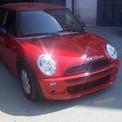
1 punto1 punto1 punto1 punto1 punto1 punto1 punto1 punto1 punto1 puntoBenvenuto!!! praticamente abbiamo la mini uguale!! solo che la mia ha dei misei 16"... :oleeeeee:1 puntoEccomi qui ad annunciarvi che ho montato il centrale non silenziato! In 9 mila Km lo step II si è liberato bene... Sound da sbavo, con tasto sport è impossibile andarci in giro perchè tira di quelle fucilate che sembrano petardi! Questo è un video di 10 secondi fatto di fretta e sotto casa quindi non potevo fare molto bordello, massimo 3 mila giri con tasto sport! Al più presto video migliore... Ciauz1 punto




Account
Navigation
Cerca
Configure browser push notifications
Chrome (Android)
- Tap the lock icon next to the address bar.
- Tap Permissions → Notifications.
- Adjust your preference.
Chrome (Desktop)
- Click the padlock icon in the address bar.
- Select Site settings.
- Find Notifications and adjust your preference.
Safari (iOS 16.4+)
- Ensure the site is installed via Add to Home Screen.
- Open Settings App → Notifications.
- Find your app name and adjust your preference.
Safari (macOS)
- Go to Safari → Preferences.
- Click the Websites tab.
- Select Notifications in the sidebar.
- Find this website and adjust your preference.
Edge (Android)
- Tap the lock icon next to the address bar.
- Tap Permissions.
- Find Notifications and adjust your preference.
Edge (Desktop)
- Click the padlock icon in the address bar.
- Click Permissions for this site.
- Find Notifications and adjust your preference.
Firefox (Android)
- Go to Settings → Site permissions.
- Tap Notifications.
- Find this site in the list and adjust your preference.
Firefox (Desktop)
- Open Firefox Settings.
- Search for Notifications.
- Find this site in the list and adjust your preference.