Vai al contenuto
View in the app

A better way to browse. Learn more.

mega MINI forum

A full-screen app on your home screen with push notifications, badges and more.

To install this app on iOS and iPadOS
  1. Tap the Share icon in Safari
  2. Scroll the menu and tap Add to Home Screen.
  3. Tap Add in the top-right corner.
To install this app on Android
  1. Tap the 3-dot menu (⋮) in the top-right corner of the browser.
  2. Tap Add to Home screen or Install app.
  3. Confirm by tapping Install.

giumerol

Utente forum
  • Iscritto

  • Ultima visita

  1. giumerol ha cambiato la sua immagine del profilo
  2. Ciao Vegas - come e andata hai installato il nuovo sistema android? Sarei interessato anche io con la mia cabrio r 52 Grazie per info
  3. ciao sarei molto interessato anche io a questo post- in quanto avendo lo stesso modello di auto 2007 cabrio r 52 cooper - vorrei sostituire la radio con eventuale 2 din. MA onestamente non ho trovato nulla di soddisfacente. che tipo di modello Jvc hai osservato?? Grazie
  4. giumerol ha pubblicato una discussione in New megaMINI DRIVERS
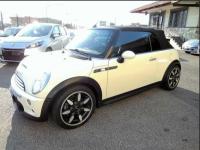
    Buon giorno atutti, mi presento come nuove utente del vostro forum. Possessore di una Mini Cooper Cabrio 2007 r52 versione sidewalk. Contento di poter far parte di questo forum Grazie
  5. giumerol ha pubblicato una discussione in New megaMINI DRIVERS
    Ciao A tutti - presto possessore di mini one cabrio 2007. 52 anni - curioso di conoscere il vostro forum ciao Grazie

Account

Navigation

Cerca

Cerca

Configure browser push notifications

Chrome (Android)
  1. Tap the lock icon next to the address bar.
  2. Tap Permissions → Notifications.
  3. Adjust your preference.
Chrome (Desktop)
  1. Click the padlock icon in the address bar.
  2. Select Site settings.
  3. Find Notifications and adjust your preference.