
Vai al contenuto
View in the app

A better way to browse. Learn more.

mega MINI forum

A full-screen app on your home screen with push notifications, badges and more.

To install this app on iOS and iPadOS
  1. Tap the Share icon in Safari
  2. Scroll the menu and tap Add to Home Screen.
  3. Tap Add in the top-right corner.
To install this app on Android
  1. Tap the 3-dot menu (⋮) in the top-right corner of the browser.
  2. Tap Add to Home screen or Install app.
  3. Confirm by tapping Install.

Patrick18b

Utente forum
  • Iscritto

  • Ultima visita

Tutti i contenuti di Patrick18b

  1. Buonasera a tutti, ho trovato un cavo rosso nel vano motore (a me sembra una corda per saltare). Scherzi a parte qualcuno sa dirmi di che cavo si tratta? Grazie a tutti! Inviato dal mio iPhone utilizzando Tapatalk
  2. Patrick18b ha pubblicato una discussione in New megaMINI DRIVERS
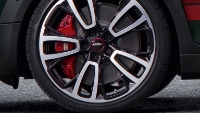
    Buonasera a tutti, mi presento sono Patrick e ho acquistato da poco la mia prima MINI. Da tempo cercavo una MINI Countryman SD e dopo tantissime ricerche tra accessori e allestimenti vari, ho finalmente trovato una MINI adatta alle mie esigenze. Nello specifico ho acquistato una MINI Countryman SD ALL4 allestimento John Cooper Works del 2023. Dopo questa mia breve presentazione auguro a tutti una buona serata! Patrick

Account

Navigation

Cerca

Cerca

Configure browser push notifications

Chrome (Android)
  1. Tap the lock icon next to the address bar.
  2. Tap Permissions → Notifications.
  3. Adjust your preference.
Chrome (Desktop)
  1. Click the padlock icon in the address bar.
  2. Select Site settings.
  3. Find Notifications and adjust your preference.