


ChiaraCooper
Utente forum
-
Iscritto
-
Ultima visita
Tutti i contenuti di ChiaraCooper
-
quasi mi commuovo!!!!!!ehiehiehi ci sono anche io!!!e si condivido con tutti, le MINI hanno smesso di essere prodotte alla fine del 2006 ... u.u bellissime le nuove, niente da ridire!! xooo non sono mini..Siete fortunati che io lavoro!! :P
 Chiaramnml@hotmail.it
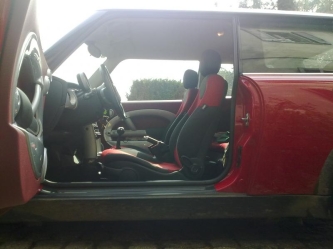 uaaaa bella rossa anche dentro!!!!!!!!!!!!
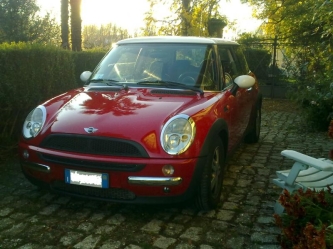 no è che ti sei posto in un modo che non sembrava un consiglio! ;) insomma ho espresso il mio parere come tu hai espresso il tuo.. non mi rispondere cosììì
che fortuna!!!! io veramente la adoro rossa, è la mia preferita in assoluto!! però mi è arrivata grigia e vabbè la amo lo stesso :) ma sai che anche io ho in mente di metterci su un pò di cosine, e a volte mi fermo a guardarla e mi salgono i dubbi.. insomma è tanto carina così per quello che è :) complimenti sei stato proprio fortunato!!!!!!!!!!!!
no è che ti sei posto in un modo che non sembrava un consiglio! ;) insomma ho espresso il mio parere come tu hai espresso il tuo.. non mi rispondere cosììì
che fortuna!!!! io veramente la adoro rossa, è la mia preferita in assoluto!! però mi è arrivata grigia e vabbè la amo lo stesso :) ma sai che anche io ho in mente di metterci su un pò di cosine, e a volte mi fermo a guardarla e mi salgono i dubbi.. insomma è tanto carina così per quello che è :) complimenti sei stato proprio fortunato!!!!!!!!!!!!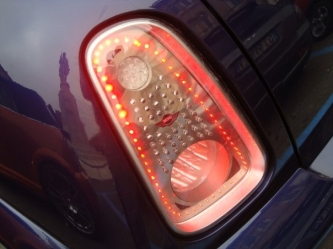 :o una mini aliena???
ma ognuno sarà mai libero di tenerla come vuole la propria mini?? u.u bella bella cmqahhh che belle le rosse BENVENUTO!! :yahoo:mmmmmaaa perchè devo lavorareee?!?!Io saluterei più spesso se non ci fossero tanti troppi ministi per occasione, o peggio per moda, che delle altre mini se ne fregano altamente! Una sfanalatina ci sta, una sola sennò poi pensano ad un avvertimento dì posto dì blocco :D Behhh benvenuto :)
:o una mini aliena???
ma ognuno sarà mai libero di tenerla come vuole la propria mini?? u.u bella bella cmqahhh che belle le rosse BENVENUTO!! :yahoo:mmmmmaaa perchè devo lavorareee?!?!Io saluterei più spesso se non ci fossero tanti troppi ministi per occasione, o peggio per moda, che delle altre mini se ne fregano altamente! Una sfanalatina ci sta, una sola sennò poi pensano ad un avvertimento dì posto dì blocco :D Behhh benvenuto :)Account
Navigation
Cerca
Configure browser push notifications
Chrome (Android)
- Tap the lock icon next to the address bar.
- Tap Permissions → Notifications.
- Adjust your preference.
Chrome (Desktop)
- Click the padlock icon in the address bar.
- Select Site settings.
- Find Notifications and adjust your preference.
Safari (iOS 16.4+)
- Ensure the site is installed via Add to Home Screen.
- Open Settings App → Notifications.
- Find your app name and adjust your preference.
Safari (macOS)
- Go to Safari → Preferences.
- Click the Websites tab.
- Select Notifications in the sidebar.
- Find this website and adjust your preference.
Edge (Android)
- Tap the lock icon next to the address bar.
- Tap Permissions.
- Find Notifications and adjust your preference.
Edge (Desktop)
- Click the padlock icon in the address bar.
- Click Permissions for this site.
- Find Notifications and adjust your preference.
Firefox (Android)
- Go to Settings → Site permissions.
- Tap Notifications.
- Find this site in the list and adjust your preference.
Firefox (Desktop)
- Open Firefox Settings.
- Search for Notifications.
- Find this site in the list and adjust your preference.

