PacoPower
Utente forum
-
Iscritto
-
Ultima visita
Tutti i contenuti di PacoPower
-
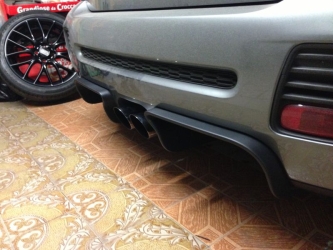 Bellissimi!Io sabato posso esserci, ma le 14 mi pare tardi! Smoker non sei riuscito a trovare i biglietti? Chi me lo puó prendere e domani gli ridó i soldi?Ragazzi allora domenica non ci sarò perchè avevo dimenticato che mia sorella ha la festa di compleanno e naturalmente non posso mancare...Io il weekend successivo lavoro...e quello dopo pure... :S
 B8??? Pagati quanto e dove?Io ce sto! Bieffe Benecooper smoker MINId (si al 90%) PacoPower VIVA LA VITA!Io se viene fuori una cosa tipo MINI UNITED ci sarò molto volentieri! ;)
 Senza scacchi challenge non sembra la tua! :D
Account
Navigation
Cerca
Configure browser push notifications
Chrome (Android)
- Tap the lock icon next to the address bar.
- Tap Permissions → Notifications.
- Adjust your preference.
Chrome (Desktop)
- Click the padlock icon in the address bar.
- Select Site settings.
- Find Notifications and adjust your preference.
Safari (iOS 16.4+)
- Ensure the site is installed via Add to Home Screen.
- Open Settings App → Notifications.
- Find your app name and adjust your preference.
Safari (macOS)
- Go to Safari → Preferences.
- Click the Websites tab.
- Select Notifications in the sidebar.
- Find this website and adjust your preference.
Edge (Android)
- Tap the lock icon next to the address bar.
- Tap Permissions.
- Find Notifications and adjust your preference.
Edge (Desktop)
- Click the padlock icon in the address bar.
- Click Permissions for this site.
- Find Notifications and adjust your preference.
Firefox (Android)
- Go to Settings → Site permissions.
- Tap Notifications.
- Find this site in the list and adjust your preference.
Firefox (Desktop)
- Open Firefox Settings.
- Search for Notifications.
- Find this site in the list and adjust your preference.