


minipaura.com
Utente forum
-
Iscritto
-
Ultima visita
Tutti i contenuti di minipaura.com
-
per mè 6 il benvenuto se mi presti il bmw stasera mi fai un favore!!!!hahhahha okima la bmw serie uno nn ha fatto un club strano!!!!e una macchina sportiva!!!!bella comunque la tua complimenti.......come hai notato tutti scherzavano se leggi bene!!!!hahahaahahahah fantastika sta ssssssssssssi cross spoke challenge da 17 neri sono fantastici nessuno li monta di voi ragazzi???
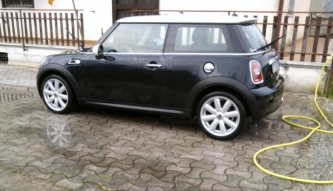 biankiiiiiiiiiiiiiiiiiiii??????????????????????????'''
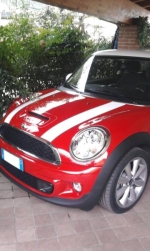 nn ci siamo:post-8-1120395070:
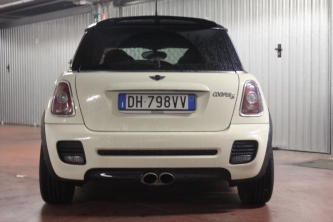 nn mi piacciono i retronebbia bianki ma makkina stupenda..
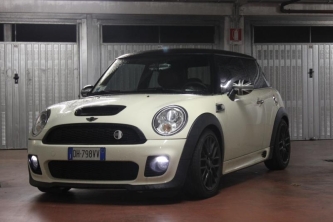 niente male
 sti cerki neri mmmmmmmmmmmmmm.......nn mi garbano makkina stupenda comunque bravo kry...sisisisisisis verniciaaaaaaaa:post-8-1120393919:oki oki no problems
Account
Navigation
Cerca
Configure browser push notifications
Chrome (Android)
- Tap the lock icon next to the address bar.
- Tap Permissions → Notifications.
- Adjust your preference.
Chrome (Desktop)
- Click the padlock icon in the address bar.
- Select Site settings.
- Find Notifications and adjust your preference.
Safari (iOS 16.4+)
- Ensure the site is installed via Add to Home Screen.
- Open Settings App → Notifications.
- Find your app name and adjust your preference.
Safari (macOS)
- Go to Safari → Preferences.
- Click the Websites tab.
- Select Notifications in the sidebar.
- Find this website and adjust your preference.
Edge (Android)
- Tap the lock icon next to the address bar.
- Tap Permissions.
- Find Notifications and adjust your preference.
Edge (Desktop)
- Click the padlock icon in the address bar.
- Click Permissions for this site.
- Find Notifications and adjust your preference.
Firefox (Android)
- Go to Settings → Site permissions.
- Tap Notifications.
- Find this site in the list and adjust your preference.
Firefox (Desktop)
- Open Firefox Settings.
- Search for Notifications.
- Find this site in the list and adjust your preference.