


Albert clubman soho
Utente forum
-
Iscritto
-
Ultima visita
Tutti i contenuti di Albert clubman soho
-
Buongiorno bei maschioniBuondì gente :DBuonasera ragazzi ;)Ufficiale.. Go kart!! DaiiiiiiCiao a tutti, parlando con gli altri vicentini abbiamo pensato di rifare una serata a Vicenza dato il successo della scorsa volta! Volevamo fare un sondaggio tra gli invitati per capire le preferenze: serata ai kart di Altavilla (VI) oppure pizzata simile all'altra volta. Date il vostro parere, a prestoBuondì!! Che dormita :DAlbert clubman soho ha commentato al immagine della galleria Albert clubman soho in MINI degli utenti
 Bella!!! Ma vogliamo vedere l'altra fiancata :PLascia perdere.. Sono diversihttp://www.autoblog.it/post/321993/nuova-mini-primo-contatto-informazioni-e-prezzi Buona lettura! Comunque all'inizio mi sembra sia sbagliato il dato del volume del bagagliaio ;)Albert clubman soho ha commentato al immagine della galleria Albert clubman soho in MINI degli utenti
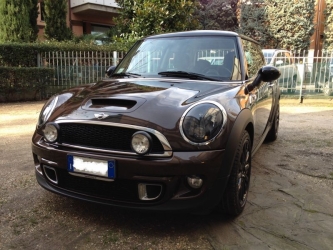 Vai di particolari neri sennò i faretti erano meglio cromati ;)Ahahahahah wella!!! Te la puoi giocare con Simo adesso a fare i pagelloni! Bella zio ❤Buongiorno ragazzi :)
Account
Navigation
Cerca
Configure browser push notifications
Chrome (Android)
- Tap the lock icon next to the address bar.
- Tap Permissions → Notifications.
- Adjust your preference.
Chrome (Desktop)
- Click the padlock icon in the address bar.
- Select Site settings.
- Find Notifications and adjust your preference.
Safari (iOS 16.4+)
- Ensure the site is installed via Add to Home Screen.
- Open Settings App → Notifications.
- Find your app name and adjust your preference.
Safari (macOS)
- Go to Safari → Preferences.
- Click the Websites tab.
- Select Notifications in the sidebar.
- Find this website and adjust your preference.
Edge (Android)
- Tap the lock icon next to the address bar.
- Tap Permissions.
- Find Notifications and adjust your preference.
Edge (Desktop)
- Click the padlock icon in the address bar.
- Click Permissions for this site.
- Find Notifications and adjust your preference.
Firefox (Android)
- Go to Settings → Site permissions.
- Tap Notifications.
- Find this site in the list and adjust your preference.
Firefox (Desktop)
- Open Firefox Settings.
- Search for Notifications.
- Find this site in the list and adjust your preference.

