


Albert clubman soho
Utente forum
-
Iscritto
-
Ultima visita
Tutti i contenuti di Albert clubman soho
-
Albert clubman soho ha commentato al immagine della galleria Albert clubman soho in MINI degli utenti
 cavolo anche io martedi monterò i led targa di luciano!! però mi sembra che la targa dopo si veda troppo e non è che mi faccia molto piacere!!! cmq bellissima la tua mini! :)Albert clubman soho ha commentato al immagine della galleria Albert clubman soho in MINI degli utenti
 uuu!! veramente bellissima :) :)dove voleteeeeee!! ci sono!! :)Albert clubman soho ha commentato al immagine della galleria Albert clubman soho in MINI degli utenti
 bellissima!! ma che colore sono le sport stripes sul tetto??Albert clubman soho ha commentato al immagine della galleria Albert clubman soho in MINI degli utenti
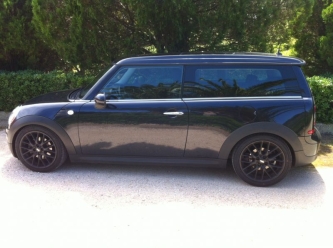 stupendaaaaaaaaa!Albert clubman soho ha commentato al immagine della galleria Albert clubman soho in MINI degli utenti
 in realtà ci stavamo abbastanza dando dentro.. confermi yoyo??Albert clubman soho ha commentato al immagine della galleria Albert clubman soho in MINI degli utenti
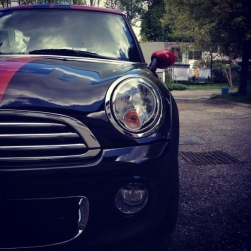 manca la calotta interna nera e dopo è perfetta!! ma come fai ad avere il tetto rosso??Albert clubman soho ha commentato al immagine della galleria Albert clubman soho in MINI degli utenti
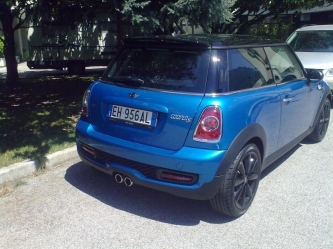 ciao!! hai ancora quei cerchi o solo quelli che avevi ieri??
Account
Navigation
Cerca
Configure browser push notifications
Chrome (Android)
- Tap the lock icon next to the address bar.
- Tap Permissions → Notifications.
- Adjust your preference.
Chrome (Desktop)
- Click the padlock icon in the address bar.
- Select Site settings.
- Find Notifications and adjust your preference.
Safari (iOS 16.4+)
- Ensure the site is installed via Add to Home Screen.
- Open Settings App → Notifications.
- Find your app name and adjust your preference.
Safari (macOS)
- Go to Safari → Preferences.
- Click the Websites tab.
- Select Notifications in the sidebar.
- Find this website and adjust your preference.
Edge (Android)
- Tap the lock icon next to the address bar.
- Tap Permissions.
- Find Notifications and adjust your preference.
Edge (Desktop)
- Click the padlock icon in the address bar.
- Click Permissions for this site.
- Find Notifications and adjust your preference.
Firefox (Android)
- Go to Settings → Site permissions.
- Tap Notifications.
- Find this site in the list and adjust your preference.
Firefox (Desktop)
- Open Firefox Settings.
- Search for Notifications.
- Find this site in the list and adjust your preference.

