


jcwjubilee75
Utente forum
-
Iscritto
-
Ultima visita
Tutti i contenuti di jcwjubilee75
-
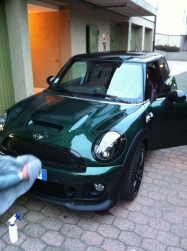 bellissima!!!Altro anellino cosi potro' insultare Pietro!! http://img708.imageshack.us/img708/8486/imagezzg.jpghttp://img708.imageshack.us/img708/8486/imagezzg.jpgNina mi avrebbe scartato x la mini banana...ahahahAltrimenti partiamo con altro gruppo d acquisto io ci sono! Sent from my iPhone 5 using TapatalkBell'auto benvenuto! Sent from my iPhone 5 using TapatalkQui c'e' gente che ti sapra' consigliare x il meglio! Benvenuto! Sent from my iPhone 5 using TapatalkSe avra' il cambio che penso io,nel 2015 passero' alla jcw nuova generazione.. Sent from my iPhone 5 using TapatalkChe sfiga,nn pensavo che fossero cosi poco tempestivi! Sent from my iPhone 5 using Tapatalk
Account
Navigation
Cerca
Configure browser push notifications
Chrome (Android)
- Tap the lock icon next to the address bar.
- Tap Permissions → Notifications.
- Adjust your preference.
Chrome (Desktop)
- Click the padlock icon in the address bar.
- Select Site settings.
- Find Notifications and adjust your preference.
Safari (iOS 16.4+)
- Ensure the site is installed via Add to Home Screen.
- Open Settings App → Notifications.
- Find your app name and adjust your preference.
Safari (macOS)
- Go to Safari → Preferences.
- Click the Websites tab.
- Select Notifications in the sidebar.
- Find this website and adjust your preference.
Edge (Android)
- Tap the lock icon next to the address bar.
- Tap Permissions.
- Find Notifications and adjust your preference.
Edge (Desktop)
- Click the padlock icon in the address bar.
- Click Permissions for this site.
- Find Notifications and adjust your preference.
Firefox (Android)
- Go to Settings → Site permissions.
- Tap Notifications.
- Find this site in the list and adjust your preference.
Firefox (Desktop)
- Open Firefox Settings.
- Search for Notifications.
- Find this site in the list and adjust your preference.
