Vai al contenuto
View in the app

A better way to browse. Learn more.

mega MINI forum

A full-screen app on your home screen with push notifications, badges and more.

To install this app on iOS and iPadOS
  1. Tap the Share icon in Safari
  2. Scroll the menu and tap Add to Home Screen.
  3. Tap Add in the top-right corner.
To install this app on Android
  1. Tap the 3-dot menu (⋮) in the top-right corner of the browser.
  2. Tap Add to Home screen or Install app.
  3. Confirm by tapping Install.

Buongiorno a tutti

Featured Replies

Inviato

Buongiorno a tutti, sono alla ricerca e spero di entrare presto nel mondo mini.

Modificato da Guido

  • 4 mesi dopo...
Inviato
  • Autore

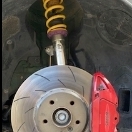
Ecco qualche aggiornamento estetico e una lucidatura con protettivo.

IMG_3419.jpg

IMG_3420.jpg

IMG_3421.jpg

12665007-c7f1-4bca-9b31-ba3ee5e01768.JPG


Modificato da Guido

Inviato
  • Autore

.

IMG_3372c.jpg

IMG_3367c.jpg

IMG_3395c.jpg

IMG_3394c.jpg

Modificato da Guido

Account

Navigation

Cerca

Cerca

Configure browser push notifications

Chrome (Android)
  1. Tap the lock icon next to the address bar.
  2. Tap Permissions → Notifications.
  3. Adjust your preference.
Chrome (Desktop)
  1. Click the padlock icon in the address bar.
  2. Select Site settings.
  3. Find Notifications and adjust your preference.