l o r e n z o
Socio 2015
-
Iscritto
-
Ultima visita
Tutti i contenuti di l o r e n z o
-
 stupendo!!! approvo tutto!! anche i pannelli del pavimento.. li hai messi tu? semplicemente ad incastro?
 -
pagamento rinnovo: h 12.00 - 11.02.15
-
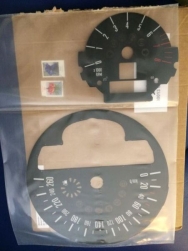 belli!! dove li hai acquistati?
 -
 Grazie!! :)
 -
Grazie mille Teo!! :)
-
-
Dall'album: mini
-
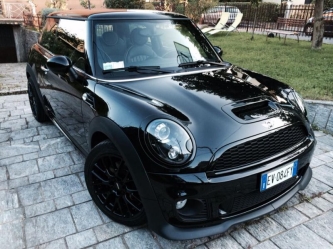 al momento non è in vendita, ma le offerte si ascoltano sempre...
 -
Grazie grazie!! :) ma sono gli xeno black line.. sono quelli originali! :D
-
Grazie!! :)
-
Dall'album: mini
-
Cippy, avete per caso la mia?Per chi ha ricevuto la federclub.. quanto impiega ad arrivare più o meno? Thanks!Sapreste dirmi il costo di un lavoro simile..?! contando il fatto che la mini in questione non è assolutamente messa come questo Cayenne..
Account
Navigation
Cerca
Configure browser push notifications
Chrome (Android)
- Tap the lock icon next to the address bar.
- Tap Permissions → Notifications.
- Adjust your preference.
Chrome (Desktop)
- Click the padlock icon in the address bar.
- Select Site settings.
- Find Notifications and adjust your preference.
Safari (iOS 16.4+)
- Ensure the site is installed via Add to Home Screen.
- Open Settings App → Notifications.
- Find your app name and adjust your preference.
Safari (macOS)
- Go to Safari → Preferences.
- Click the Websites tab.
- Select Notifications in the sidebar.
- Find this website and adjust your preference.
Edge (Android)
- Tap the lock icon next to the address bar.
- Tap Permissions.
- Find Notifications and adjust your preference.
Edge (Desktop)
- Click the padlock icon in the address bar.
- Click Permissions for this site.
- Find Notifications and adjust your preference.
Firefox (Android)
- Go to Settings → Site permissions.
- Tap Notifications.
- Find this site in the list and adjust your preference.
Firefox (Desktop)
- Open Firefox Settings.
- Search for Notifications.
- Find this site in the list and adjust your preference.