GattoDelleNevi
Socio 2016
-
Iscritto
-
Ultima visita
Tutti i contenuti di GattoDelleNevi
-
Grazie a tutti!ringrazio! :) avete qualche consiglio?raga anche sul gasolio il filtro in cotone è salutare?
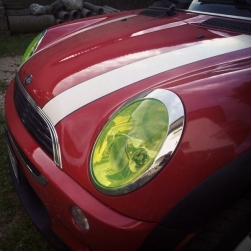 che peccato sono stupendi..
Bellissimi, ma attirano molto... Ci giri?benvenuto! ah ma tu l'hai acquistata in italia! il concessionario l'ha importata. che colore? metti delle belle foto :)@DeMonio8392 grazie per la fantastica guida! E grazie albert per i suggerimenti della pinza!Io non ho un assetto, quindi mi sono astenuto dal votare...vorrei comunque vedere i risultati del sondaggio, così da aiutarmi a decidere sul l'acquisto... Come posso fare?
che peccato sono stupendi..
Bellissimi, ma attirano molto... Ci giri?benvenuto! ah ma tu l'hai acquistata in italia! il concessionario l'ha importata. che colore? metti delle belle foto :)@DeMonio8392 grazie per la fantastica guida! E grazie albert per i suggerimenti della pinza!Io non ho un assetto, quindi mi sono astenuto dal votare...vorrei comunque vedere i risultati del sondaggio, così da aiutarmi a decidere sul l'acquisto... Come posso fare?Account
Navigation
Cerca
Configure browser push notifications
Chrome (Android)
- Tap the lock icon next to the address bar.
- Tap Permissions → Notifications.
- Adjust your preference.
Chrome (Desktop)
- Click the padlock icon in the address bar.
- Select Site settings.
- Find Notifications and adjust your preference.
Safari (iOS 16.4+)
- Ensure the site is installed via Add to Home Screen.
- Open Settings App → Notifications.
- Find your app name and adjust your preference.
Safari (macOS)
- Go to Safari → Preferences.
- Click the Websites tab.
- Select Notifications in the sidebar.
- Find this website and adjust your preference.
Edge (Android)
- Tap the lock icon next to the address bar.
- Tap Permissions.
- Find Notifications and adjust your preference.
Edge (Desktop)
- Click the padlock icon in the address bar.
- Click Permissions for this site.
- Find Notifications and adjust your preference.
Firefox (Android)
- Go to Settings → Site permissions.
- Tap Notifications.
- Find this site in the list and adjust your preference.
Firefox (Desktop)
- Open Firefox Settings.
- Search for Notifications.
- Find this site in the list and adjust your preference.