Vai al contenuto
View in the app

A better way to browse. Learn more.

mega MINI forum

A full-screen app on your home screen with push notifications, badges and more.

To install this app on iOS and iPadOS
  1. Tap the Share icon in Safari
  2. Scroll the menu and tap Add to Home Screen.
  3. Tap Add in the top-right corner.
To install this app on Android
  1. Tap the 3-dot menu (⋮) in the top-right corner of the browser.
  2. Tap Add to Home screen or Install app.
  3. Confirm by tapping Install.

lazza

Socio 2017
  • Iscritto

  • Ultima visita

  1. lazza ha pubblicato una discussione in Exterior
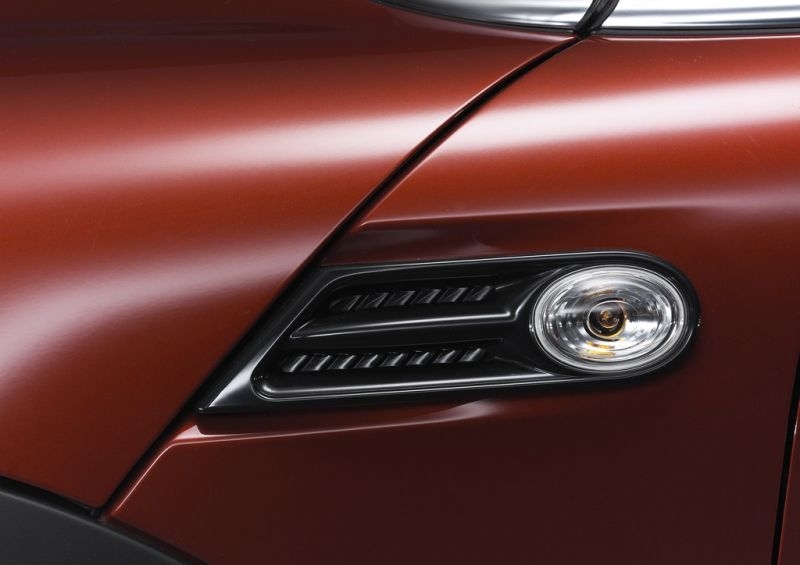
    Ciao stavo cercando il codice dei side scuttles in allegato, dovrebbero essere quelli originali del R56 Lci, ma non riesco a capirlo su real oem, ci sono veramente un sacco di modelli. grazie ciao Mauro
  2. lazza ha risposto a doc10xxx nella discussione Varie
    Ciao, questo sito le vende, ma il prezzo non mi sembra proprio basso... http://www.outmotoring.com/eyeshade-folding-sunshade-angry.html
  3. lazza ha pubblicato una discussione in New megaMINI DRIVERS
    Ciao a tutti mi chiamo Mauro e a breve entrerò in possesso di una Cooper s del 2011, mi auguro di trovare tante notizie interessanti con la partecipazione a questo forum! Ciao

Account

Navigation

Cerca

Cerca

Configure browser push notifications

Chrome (Android)
  1. Tap the lock icon next to the address bar.
  2. Tap Permissions → Notifications.
  3. Adjust your preference.
Chrome (Desktop)
  1. Click the padlock icon in the address bar.
  2. Select Site settings.
  3. Find Notifications and adjust your preference.