- BMWhat / Carly for BMW - Codificare con lo smartphone
-
BMWhat / Carly for BMW - Codificare con lo smartphone
- BMWhat / Carly for BMW - Codificare con lo smartphone
Salve ragazzi, La domanda che vi pongo è questa, è possibile tramite bmwhat e l'adattatore obd annesso codificare le DRL in modo tale che resti acceso l'intero anello anche con l'accensione degli anabbaglianti di sera? Vi ringrazio. ( p.s.premetto ai moderatori che mi sono già presentato essendo già membro dela community ma avendo perso la password e non essendo, dopo vari tentativi,il vostro sistema riuscito ad inviarmi la mail di recupero password, ho effettuato l'accesso tramite fb. il mio nome utente era giuseppedlr e la mail giuseppedlr@live.it, ma non ho ricevuto mai il link per la reimpostazione della password, nemmeno nella casella di posta indesiderata. Controllate forse è un malfunzionamento del sistema)- ciao ragazzi
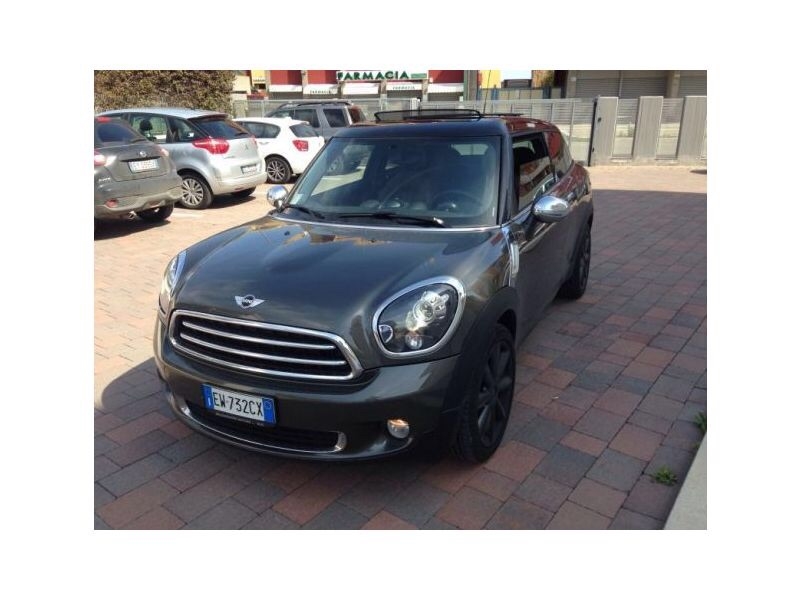
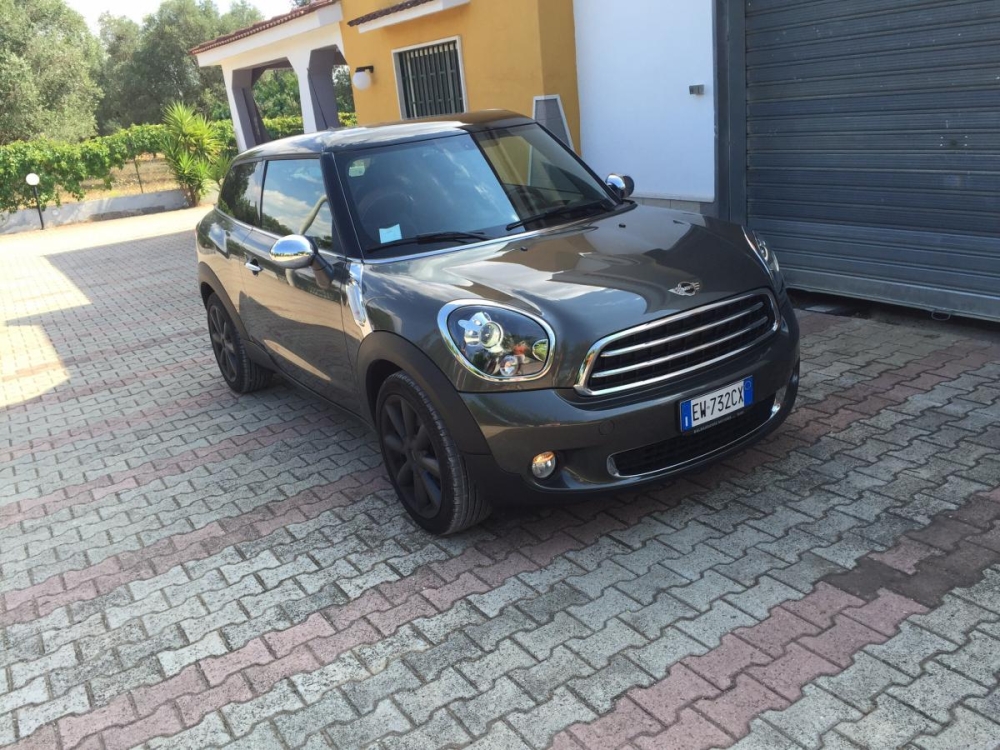
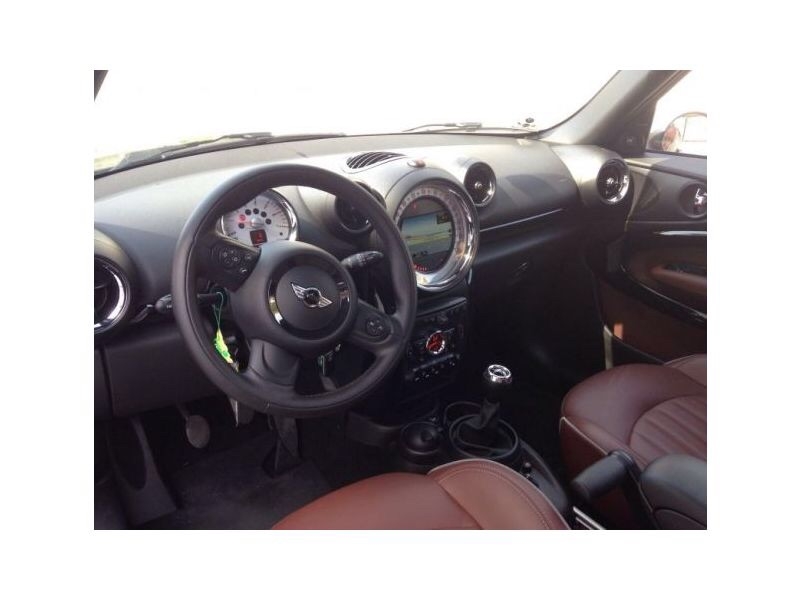
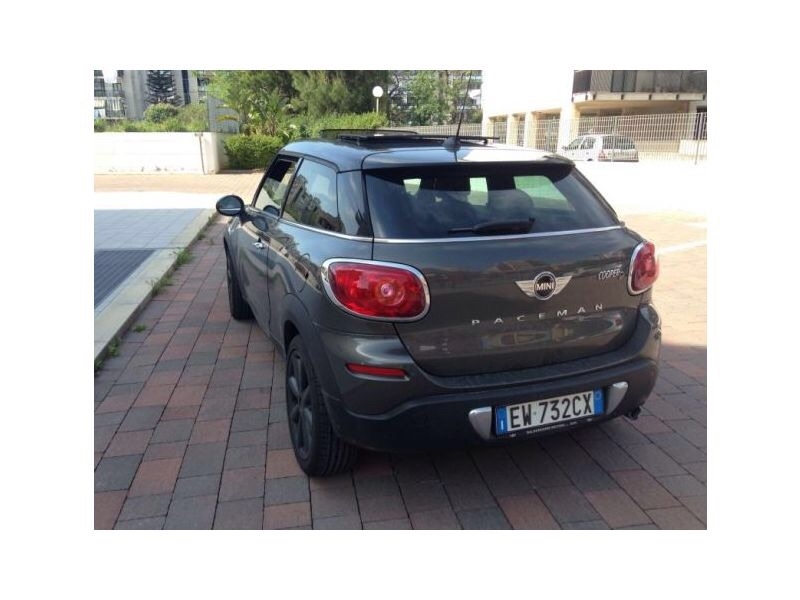
Salve a tutti ragazzi, sono orgoglioso di essere entrato nella grande famiglia dei possessori di una Mini. Possiedo una Paceman Cooper d, allestita come di seguito: - carrozzeria royal grey metallic - tetto nero - chrome line esterna ed interna - fari xenon con calotte nere - cerchi da 18 turbo fan grigio antracite - navi - interni pelle lounge Red Copper - impianto stereo H.K. - rivestimento tetto nero - tetto panoramico apribile Vi saluto, sono sicuro che grazie a questo forum non potrò far altro che migliorarla :)- Griglia e copribaule per cani
giuseppedlr
Utente forum
-
Iscritto
-
Ultima visita
Account
Navigation
Cerca
Configure browser push notifications
Chrome (Android)
- Tap the lock icon next to the address bar.
- Tap Permissions → Notifications.
- Adjust your preference.
Chrome (Desktop)
- Click the padlock icon in the address bar.
- Select Site settings.
- Find Notifications and adjust your preference.
Safari (iOS 16.4+)
- Ensure the site is installed via Add to Home Screen.
- Open Settings App → Notifications.
- Find your app name and adjust your preference.
Safari (macOS)
- Go to Safari → Preferences.
- Click the Websites tab.
- Select Notifications in the sidebar.
- Find this website and adjust your preference.
Edge (Android)
- Tap the lock icon next to the address bar.
- Tap Permissions.
- Find Notifications and adjust your preference.
Edge (Desktop)
- Click the padlock icon in the address bar.
- Click Permissions for this site.
- Find Notifications and adjust your preference.
Firefox (Android)
- Go to Settings → Site permissions.
- Tap Notifications.
- Find this site in the list and adjust your preference.
Firefox (Desktop)
- Open Firefox Settings.
- Search for Notifications.
- Find this site in the list and adjust your preference.