cri89
Utente forum
-
Iscritto
-
Ultima visita
Tutti i contenuti di cri89
-
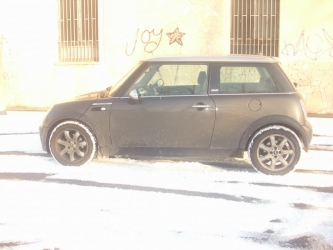
pauroso anto!! minchia spettacolo cosi cupo ah complimenti per le gold :post-8-1120395252: :post-8-1120395070:allora hai risolto qualcosa?cooper ad occhi chiusi.. la one è ancora piu ferma della cooper, che gia di suo non va per quello che beve.. :post-8-1120395252:anche perchè non vedo il nesso tra lampadine e spia cofano.. :post-8-1120395252:stupenda quella s2000
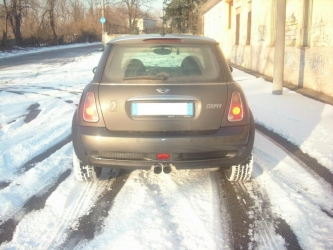 grazie cari :post-8-1120395257:
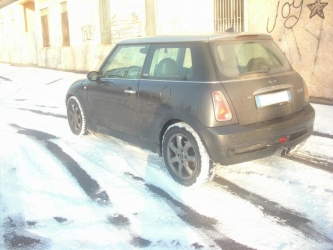 e ora ci vorrebbero cerchi da 17 e vetri scuri..
Dall'album: cri89
Dall'album: cri89
di dove sei? se sei zona milano ti do l'indirizzo di un posto dove con 150€ han fatto i vetri dietro di una 207 a 5porte (quindi vetri piu grandi) di un mio collega.. appena mi avanza qualcosa faccio un salto pure io, 150€ è basso come prezzo, in genere sei sui 250...Account
Navigation
Cerca
Configure browser push notifications
Chrome (Android)
- Tap the lock icon next to the address bar.
- Tap Permissions → Notifications.
- Adjust your preference.
Chrome (Desktop)
- Click the padlock icon in the address bar.
- Select Site settings.
- Find Notifications and adjust your preference.
Safari (iOS 16.4+)
- Ensure the site is installed via Add to Home Screen.
- Open Settings App → Notifications.
- Find your app name and adjust your preference.
Safari (macOS)
- Go to Safari → Preferences.
- Click the Websites tab.
- Select Notifications in the sidebar.
- Find this website and adjust your preference.
Edge (Android)
- Tap the lock icon next to the address bar.
- Tap Permissions.
- Find Notifications and adjust your preference.
Edge (Desktop)
- Click the padlock icon in the address bar.
- Click Permissions for this site.
- Find Notifications and adjust your preference.
Firefox (Android)
- Go to Settings → Site permissions.
- Tap Notifications.
- Find this site in the list and adjust your preference.
Firefox (Desktop)
- Open Firefox Settings.
- Search for Notifications.
- Find this site in the list and adjust your preference.