bigmarso
Utente forum
-
Iscritto
-
Ultima visita
Tutti i contenuti di bigmarso
-
ciao dovrei smontare i para ant e post della S r56 devo togliere i passaruota ant e post laterali? sono a pressione o ci sono delle viti? grazie ps ce un link con una guida ? grazie
 forse terrazza martini...stichezzi...
 toooop
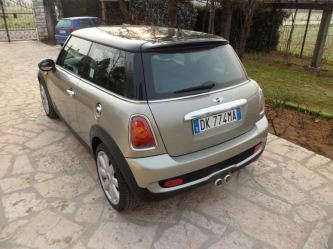 ti ci vuole l''ant ora..e poi sei a posto..ciao ministi..le placchette volante come si smontano? le due laterali hanno dietro una torx quella sotto invece e' solo a pressione?ho provato a tirare ma sembra che l'airbag la blocchi..ciao qualcuno conosce un tappezziere a milano per rivestire il volante in alcantara?
 paglioman...ASSETTOOOOOOOOOOOOOOOOOOOOOhttp://new.minimania.com/Downloads.cfm eccola.. buon lavoro
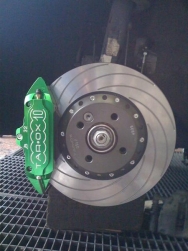 mmm.. il jcw fa un altra scena..ce un problema la barra nello snodo e' morbida quindi si flette su e giu' quello quanto va stretto?? non vorrei partire e spaccare tutto grazieciao ragazzi come si fa smontare tutta la scatola filtro? mi deve arrivare quella jcw.. chi lo sa? aprendo il cofano non ho visto molto oltre staccare il tubo aria e aprire il coperchio filtro...
Account
Navigation
Cerca
Configure browser push notifications
Chrome (Android)
- Tap the lock icon next to the address bar.
- Tap Permissions → Notifications.
- Adjust your preference.
Chrome (Desktop)
- Click the padlock icon in the address bar.
- Select Site settings.
- Find Notifications and adjust your preference.
Safari (iOS 16.4+)
- Ensure the site is installed via Add to Home Screen.
- Open Settings App → Notifications.
- Find your app name and adjust your preference.
Safari (macOS)
- Go to Safari → Preferences.
- Click the Websites tab.
- Select Notifications in the sidebar.
- Find this website and adjust your preference.
Edge (Android)
- Tap the lock icon next to the address bar.
- Tap Permissions.
- Find Notifications and adjust your preference.
Edge (Desktop)
- Click the padlock icon in the address bar.
- Click Permissions for this site.
- Find Notifications and adjust your preference.
Firefox (Android)
- Go to Settings → Site permissions.
- Tap Notifications.
- Find this site in the list and adjust your preference.
Firefox (Desktop)
- Open Firefox Settings.
- Search for Notifications.
- Find this site in the list and adjust your preference.