Ale_l'irreCOOPERabile
Socio 2014
-
Iscritto
-
Ultima visita
Tutti i contenuti di Ale_l'irreCOOPERabile
-
Ale_l'irreCOOPERabile ha commentato al immagine della galleria Ale_l'irreCOOPERabile in MINI degli utenti
 cv?Ale_l'irreCOOPERabile ha commentato al immagine della galleria Ale_l'irreCOOPERabile in MINI degli utenti
 cv?Ale_l'irreCOOPERabile ha commentato al immagine della galleria Ale_l'irreCOOPERabile in MINI degli utenti
 cv?Ale_l'irreCOOPERabile ha commentato al immagine della galleria Ale_l'irreCOOPERabile in MINI degli utenti
 cv?Ale_l'irreCOOPERabile ha commentato al immagine della galleria Ale_l'irreCOOPERabile in MINI degli utenti
 carina.... peccato che il proprietario è un baluba!se è -3, -2, -2,5, -4 poco cambia.... se si mette un ghiera solo per abbassare l'auto si è totalmente fuori strada... a sto punto si montano delle molle, - 3, si spende meno e la funzione estetica è uguale... la funzione di un ghiera è un altra.....sobria alla vista e violente di motore...il top!ahahah pozzame due..... magari è solo un po di fuliggine....Ale_l'irreCOOPERabile ha commentato al immagine della galleria Ale_l'irreCOOPERabile in MINI degli utenti
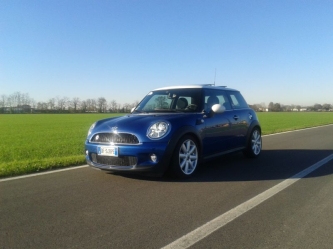 sempre bella la jack mobile...;-)R.I.P. minideliriol'unica cosa interessante di sto video è la biondina a 2.30.... i resto... :cagar:sabato c'è l'ape in mini al vanilla a varese...marco re degli...
Account
Navigation
Cerca
Configure browser push notifications
Chrome (Android)
- Tap the lock icon next to the address bar.
- Tap Permissions → Notifications.
- Adjust your preference.
Chrome (Desktop)
- Click the padlock icon in the address bar.
- Select Site settings.
- Find Notifications and adjust your preference.
Safari (iOS 16.4+)
- Ensure the site is installed via Add to Home Screen.
- Open Settings App → Notifications.
- Find your app name and adjust your preference.
Safari (macOS)
- Go to Safari → Preferences.
- Click the Websites tab.
- Select Notifications in the sidebar.
- Find this website and adjust your preference.
Edge (Android)
- Tap the lock icon next to the address bar.
- Tap Permissions.
- Find Notifications and adjust your preference.
Edge (Desktop)
- Click the padlock icon in the address bar.
- Click Permissions for this site.
- Find Notifications and adjust your preference.
Firefox (Android)
- Go to Settings → Site permissions.
- Tap Notifications.
- Find this site in the list and adjust your preference.
Firefox (Desktop)
- Open Firefox Settings.
- Search for Notifications.
- Find this site in the list and adjust your preference.