mariocooper87
Utente forum
-
Iscritto
-
Ultima visita
Tutti i contenuti di mariocooper87
-
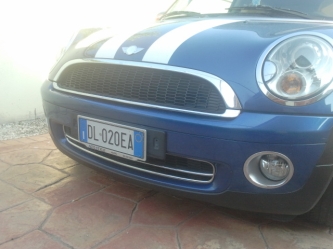 io devo farlo ,pero non so come coprire i buchi che rimangono boooooohhhhhhh
 -
eccola la fotinaaaaaaaa la stavo aspettando ,altro up che dobbiamo fare sia io k te sarebbe da attaccare la targa al para e togliere quel pezzo di plastica nero
-
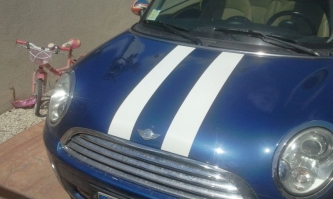 pittis da chi le hai fatte mettere le bonnet?
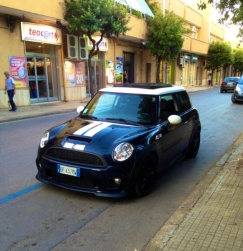 bellissima piè ,io la tua me la ricordo benissimo l ho vista al raduno del basso lazio e da sbavo
Account
Navigation
Cerca
Configure browser push notifications
Chrome (Android)
- Tap the lock icon next to the address bar.
- Tap Permissions → Notifications.
- Adjust your preference.
Chrome (Desktop)
- Click the padlock icon in the address bar.
- Select Site settings.
- Find Notifications and adjust your preference.
Safari (iOS 16.4+)
- Ensure the site is installed via Add to Home Screen.
- Open Settings App → Notifications.
- Find your app name and adjust your preference.
Safari (macOS)
- Go to Safari → Preferences.
- Click the Websites tab.
- Select Notifications in the sidebar.
- Find this website and adjust your preference.
Edge (Android)
- Tap the lock icon next to the address bar.
- Tap Permissions.
- Find Notifications and adjust your preference.
Edge (Desktop)
- Click the padlock icon in the address bar.
- Click Permissions for this site.
- Find Notifications and adjust your preference.
Firefox (Android)
- Go to Settings → Site permissions.
- Tap Notifications.
- Find this site in the list and adjust your preference.
Firefox (Desktop)
- Open Firefox Settings.
- Search for Notifications.
- Find this site in the list and adjust your preference.