Ministef
Socio 2014
-
Iscritto
-
Ultima visita
Tutti i contenuti di Ministef
-
Benvenuto!
-
Benvenuto!
-
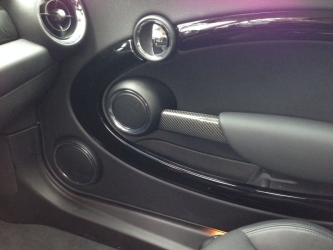 io temo il cacciavite sulle plastiche. Il set di leve in teflon non fa il minimo graffio
 -
Benvenuto!
-
Benvenuto!
-
-
Benvenuto!
-
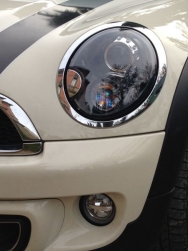 Si. Infatti Pippomaccaccco ha installato anche il sistema lavafari, la vaschetta lavafari, collegamenti elettrici e corretto la centralina
 -
Benvenuto!
-
Benvenuto!
-
de nada! ciao
-
Comprati usati completi di lampade e centraline (€700)
-
Certo. ho cambiato solo le lampadine delle frecce
-
Benvenuto!
-
La parte del passeggero è semplicissima. basta staccare il poggiabraccio prima e la protezione del woofer dopo. Sviti 2 torx e sostituisci la parte in plastica. Per il lato guidatore devi stare attento al regolatoredegli specchietti. Per lo smontaggio ti consiglio di comprare il kit in teflon apposito per lo smontaggio delle plastiche interne dell'auto. Ciao
-
Benvenuto!
-
Benvenuto!
-
-
Dall'album: Mini Cooper S R56 LCI Pepper white
-
Dall'album: Mini Cooper S R56 LCI Pepper white
-
-
-
Benvenuto!
-
Benvenuto!
-
Benvenuto!