-
FARI SUPPLEMENTARI WIPAC
Se vuoi li ho da vendere usati
-
Sorpasso azzardato
Hahahha ragazzi Adam Kadmon o no la macchina era la mia e ogni tanto qualche sferrata va fatta...ma non ero io alla guida come sempre Sono contento che il sound vi gusta!! Ma lì le modifiche non erano ancora abbastanza..
-
Sorpasso azzardato
MINI COOPER S ACCELERATION HIGHWAY FUN LOUD! POP!:
-
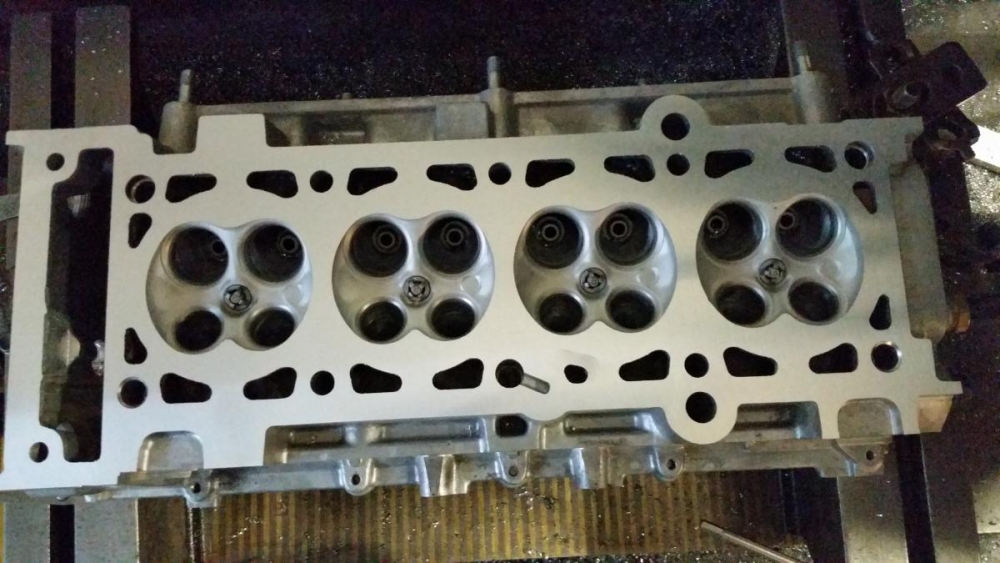
Cylinder head r53
Ancora non si sa, sarà pronta per la mappatura tra una decina di giorni
-
Cylinder head r53
Si si decisamente!! Sono state lavorate anche le sedi valvole e la testata è stata abassata notevolmente ... tra un po si sferra!
-
Cylinder head r53
TUNING MINI COOPER S R53 CYLINDER HEAD PT.2 ENDING:
-
Cylinder head r53
-
Consigli per rimappatura/elaborazione Cooper S R53
Scrivo su questo post in quanto cerco camme mini Cooper s r53... ho rotto le mie avete consigli? Quali prendere qualità prezzo? Considerando che la mia è abbastanza elaborata..
-
illuminazione versione incontri ravvicinati del 3 tipo
Li sto facendo anch'io i fari così dal carrozziere mi convincono sempre più stupendi l' unica cosa che ho la Mini indi blue e white e stavo vedendo di farli bianchi e blu ma poi sono tornato sul nero
-
Consiglio Cerchi Work 8x17 ET35
si ma non tanto puoi vedere nella gallery...spero di esserti stato d aiuto
-
Consiglio Cerchi Work 8x17 ET35
Io ho sulle 205 un canale 8et35
-
ACCENSIONE DELLA BESTIOLINA CON IL BOTTO!!
Hahahahhah quasi...
-
ACCENSIONE DELLA BESTIOLINA CON IL BOTTO!!
MINI COOPER S COLD START POP!! BANG!! BACKFIRE!!:
- Due soci federclub alle prese con le loro Cooper S R53
Account
Navigation
Cerca
Configure browser push notifications
Chrome (Android)
- Tap the lock icon next to the address bar.
- Tap Permissions → Notifications.
- Adjust your preference.
Chrome (Desktop)
- Click the padlock icon in the address bar.
- Select Site settings.
- Find Notifications and adjust your preference.
Safari (iOS 16.4+)
- Ensure the site is installed via Add to Home Screen.
- Open Settings App → Notifications.
- Find your app name and adjust your preference.
Safari (macOS)
- Go to Safari → Preferences.
- Click the Websites tab.
- Select Notifications in the sidebar.
- Find this website and adjust your preference.
Edge (Android)
- Tap the lock icon next to the address bar.
- Tap Permissions.
- Find Notifications and adjust your preference.
Edge (Desktop)
- Click the padlock icon in the address bar.
- Click Permissions for this site.
- Find Notifications and adjust your preference.
Firefox (Android)
- Go to Settings → Site permissions.
- Tap Notifications.
- Find this site in the list and adjust your preference.
Firefox (Desktop)
- Open Firefox Settings.
- Search for Notifications.
- Find this site in the list and adjust your preference.