Vai al contenuto
View in the app

A better way to browse. Learn more.

mega MINI forum

A full-screen app on your home screen with push notifications, badges and more.

To install this app on iOS and iPadOS
  1. Tap the Share icon in Safari
  2. Scroll the menu and tap Add to Home Screen.
  3. Tap Add in the top-right corner.
To install this app on Android
  1. Tap the 3-dot menu (⋮) in the top-right corner of the browser.
  2. Tap Add to Home screen or Install app.
  3. Confirm by tapping Install.

Salve ragazzi e ragazze
Featured Replies

Inviato

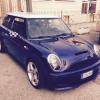
Ciao a tutti, son nuovo in questo forum, possiedo una fantastica mini one D del 2006, e spero di fare nuove ed interessanti conoscenze qui'

Inviato

benvenuto..ottimo mezzo la one D!

ne parlavo ieri con un mio amico che ce l'ha..150000km senza mai nessun problema! :post-8-1120393919:

presentacela...

Inviato

ALOHA!!!!

Inviato
  • Autore

Grazie ragazzi, cortesemente mi potete indirizzare per poter mettere le foto, grazie ancora ma devo prenderci la mano su questo forum :)

Inviato
  • Autore

Grazie a tutti, dovete aiutarmi a postare le foto della mini, sto impazzendo, non capisco se usare imageshack, e dove metterle, se ce' una sezione apposita, e come funziona, grazie

Inviato

Devi andare nella gallery e creare un tuo album... :)

Account

Navigation

Cerca

Cerca

Configure browser push notifications

Chrome (Android)
  1. Tap the lock icon next to the address bar.
  2. Tap Permissions → Notifications.
  3. Adjust your preference.
Chrome (Desktop)
  1. Click the padlock icon in the address bar.
  2. Select Site settings.
  3. Find Notifications and adjust your preference.