Vai al contenuto
View in the app

A better way to browse. Learn more.

mega MINI forum

A full-screen app on your home screen with push notifications, badges and more.

To install this app on iOS and iPadOS
  1. Tap the Share icon in Safari
  2. Scroll the menu and tap Add to Home Screen.
  3. Tap Add in the top-right corner.
To install this app on Android
  1. Tap the 3-dot menu (⋮) in the top-right corner of the browser.
  2. Tap Add to Home screen or Install app.
  3. Confirm by tapping Install.

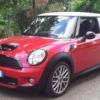
tanta robetta carina..:D time attack franciacorta..
Featured Replies

Inviato

Taaaanta roba!!!!!

Inviato

video rimosso dall'utente... :(

Inviato

video rimosso...

non lo vedo...

Inviato

we ciao dav dov cazz sei finito

Inviato

wella! in giro per lo spazio, ultimamente ho tanto da fare... :(

Inviato

spettacolo sto video ,fast and furious all italiana hihihihih ,fatto sta che se in italia saremmo meno vincolati sulle auto ,di modificate ne vedremo una caterba e 10000 mila raduni a settimana hahahaha altro k in america

Account

Navigation

Cerca

Cerca

Configure browser push notifications

Chrome (Android)
  1. Tap the lock icon next to the address bar.
  2. Tap Permissions → Notifications.
  3. Adjust your preference.
Chrome (Desktop)
  1. Click the padlock icon in the address bar.
  2. Select Site settings.
  3. Find Notifications and adjust your preference.