Vai al contenuto
View in the app

A better way to browse. Learn more.

mega MINI forum

A full-screen app on your home screen with push notifications, badges and more.

To install this app on iOS and iPadOS
  1. Tap the Share icon in Safari
  2. Scroll the menu and tap Add to Home Screen.
  3. Tap Add in the top-right corner.
To install this app on Android
  1. Tap the 3-dot menu (⋮) in the top-right corner of the browser.
  2. Tap Add to Home screen or Install app.
  3. Confirm by tapping Install.

Mi Ri-presento

Featured Replies

Inviato

Buongiorno a tutti, sono Giancarlo iscritto al forum da una decina d'anni, ma dormiente visto che dopo i primi anni, conosciuta ben bene la mia Mini che fortunatamente non mi ha mai dato nessunissimo problema sul formun ci capitavo di tanto in tanto,

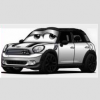
oggi dopo 10 anni di onorato servizio e 145.000Km la mia amata Countryman CooperD....


2107.jpg


 ho deciso e sono andato a firmare ✍️  il contratto!!!


...verrà AFFIANCATA dalla Nuova Countryman One D     😎

Schermata 2021-02-03 alle 17.25.02.png


perchè la prima MINI resta nel cuore 😍

e mia moglie ci ha messo 10anni per capirlo, ma alla fine si è convertita pure lei!!! 😆

Modificato da GiTo

Inviato

Ri-benvenuto allora!

Inviato

Benvenuto/bentornato 😜

La Mini è contagiosa 😎

Account

Navigation

Cerca

Cerca

Configure browser push notifications

Chrome (Android)
  1. Tap the lock icon next to the address bar.
  2. Tap Permissions → Notifications.
  3. Adjust your preference.
Chrome (Desktop)
  1. Click the padlock icon in the address bar.
  2. Select Site settings.
  3. Find Notifications and adjust your preference.