Vai al contenuto
View in the app

A better way to browse. Learn more.

mega MINI forum

A full-screen app on your home screen with push notifications, badges and more.

To install this app on iOS and iPadOS
  1. Tap the Share icon in Safari
  2. Scroll the menu and tap Add to Home Screen.
  3. Tap Add in the top-right corner.
To install this app on Android
  1. Tap the 3-dot menu (⋮) in the top-right corner of the browser.
  2. Tap Add to Home screen or Install app.
  3. Confirm by tapping Install.

Classifica

Contenuto Popolare

Mostra il contenuto con la massima reputazione di 25/05/2014 in Risposte

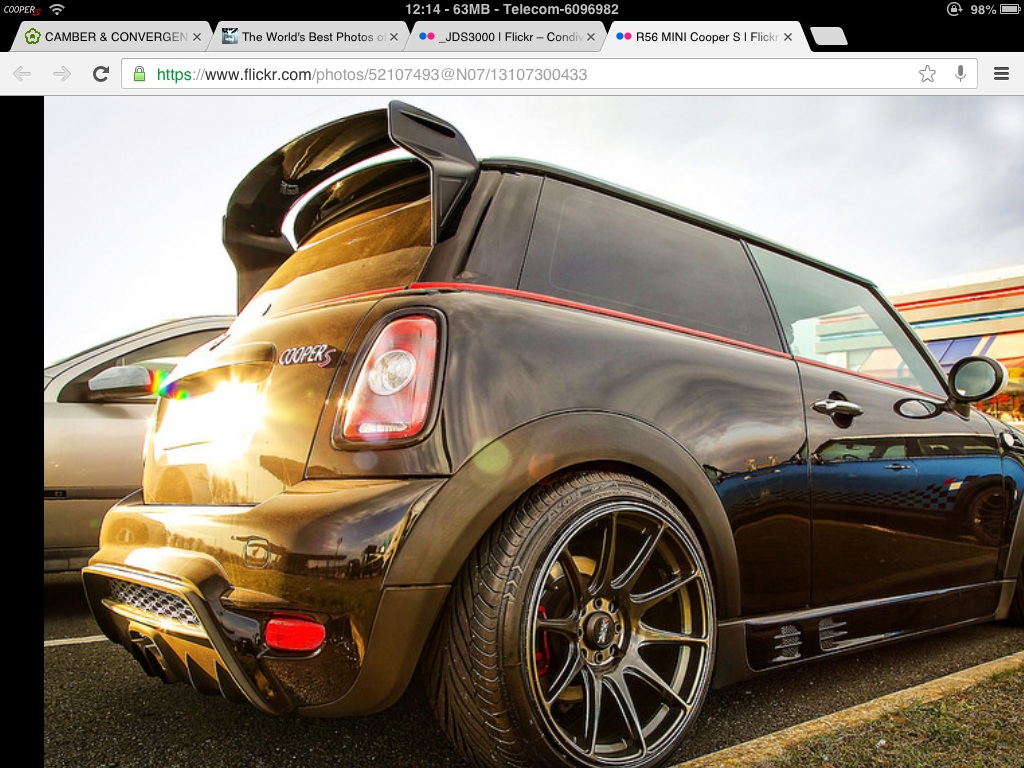
  1. Ciao! Qualcuno conosce questo kit? Come si chiama?
  2. 1 punto
    Che schifo...inguardabile..
  3. Ma che bella e' la doppietta automatica in scalata .....
  4. NO, grazie!! Vado ad aprire dallo sportello! :closedeyes:
  5. mi sebra di stare in chiesa ma non in oratorio...tutti parlano ma nessuno prega A me non interessa senti barzellette, ma giudizi magari di chi ce l'ha, di come si trova o di chi ha avuto problemi. Come al solito una discussione poco costruttiva anche questa...bla bla bla bla :chao: vado a fa du sgommate ora che ho finito di pulire la BESTIA....

Account

Navigation

Cerca

Cerca

Configure browser push notifications

Chrome (Android)
  1. Tap the lock icon next to the address bar.
  2. Tap Permissions → Notifications.
  3. Adjust your preference.
Chrome (Desktop)
  1. Click the padlock icon in the address bar.
  2. Select Site settings.
  3. Find Notifications and adjust your preference.