Classifica
-
Vassa82
Socio 20233Punti71Numero contenuti -

Mr. Bluesman
Socio 20251Punti2.208Numero contenuti -
cippy
Admin1Punti28.998Numero contenuti -

LucasCooper
Socio 20151Punti3.926Numero contenuti


Contenuto Popolare
Mostra il contenuto con la massima reputazione di 11/09/2020 in Risposte
-
1 puntoGrazie @cippy 👍🏼 Io invece l’automatico lo adoro 🤩 anche se sono gusti 😄 Sì non è grande, ma almeno con il seggiolino della piccola, non devo smadonnare 😅1 punto
-
1 puntoComplimenti!!!! Bella davvero!!! Peccato......per il cambio automatico 😉 è più forte di me, non lo digerisco proprio! Per il resto che dire, davvero fantastica. P.s. ok le 5 porte, ma non ti credere di caricare chissà cosa ahahahahahah 😉1 punto
-
1 punto
-
1 punto
-
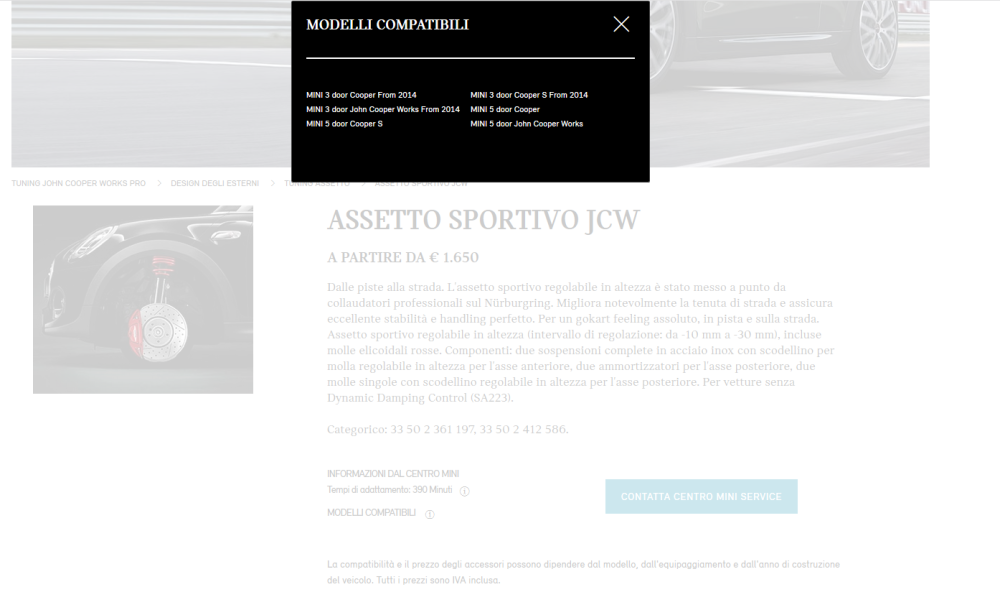
1 puntoDa etk pare disponibile con questo codice 33502412586, metre quello della 3 porte è 33502361197 EDIT: da sito ufficiale mini
 1 punto
 -
1 puntoVisto che siamo in tema di assetto...ho dato un’occhio al jcw pro, ma lo danno solo per la 3 porte, sapete se è adattabile anche alla 5 porte ?1 punto
-
1 puntoGrazie @fabryge Hai ragione @cippy ma per la f55 da quel che ne so ( mi potrei sbagliare ) l’ estrattore jwc pro, non lo fanno.1 punto