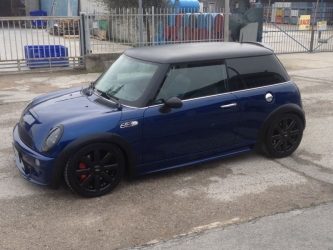
GattoDelleNevi
Socio 2016
-
Iscritto
-
Ultima visita
Tutti i contenuti di GattoDelleNevi
-
Hai ragione, ma forse i moderatori preferiscano che tu chieda precisazioni in una discussione gia esistente piuttosto che aprirne una nuova. Quanto dichiarano per la tua?Bienvenido!Sarei curioso di sapere quale sia l'assetto più confortevole in assoluto (a ghiere ovviamente). GraciasL'assetto lo davo per scontato... Molto belli i rota sdm, bisogna vedere se esistono con un et "umano".
 Oggi è il giorno ;)Così ben messa è uno spettacolo.Bisogno di un parere generale dal forum: Tra cerchi tipo Rota Grid (o simili) e BBS RS/LM (o simili) quali consigliate?Specifico R56 pre restyling.Albert sei più in pista che in strada :D Complimenti comunque ;)
Account
Navigation
Cerca
Configure browser push notifications
Chrome (Android)
- Tap the lock icon next to the address bar.
- Tap Permissions → Notifications.
- Adjust your preference.
Chrome (Desktop)
- Click the padlock icon in the address bar.
- Select Site settings.
- Find Notifications and adjust your preference.
Safari (iOS 16.4+)
- Ensure the site is installed via Add to Home Screen.
- Open Settings App → Notifications.
- Find your app name and adjust your preference.
Safari (macOS)
- Go to Safari → Preferences.
- Click the Websites tab.
- Select Notifications in the sidebar.
- Find this website and adjust your preference.
Edge (Android)
- Tap the lock icon next to the address bar.
- Tap Permissions.
- Find Notifications and adjust your preference.
Edge (Desktop)
- Click the padlock icon in the address bar.
- Click Permissions for this site.
- Find Notifications and adjust your preference.
Firefox (Android)
- Go to Settings → Site permissions.
- Tap Notifications.
- Find this site in the list and adjust your preference.
Firefox (Desktop)
- Open Firefox Settings.
- Search for Notifications.
- Find this site in the list and adjust your preference.