
Cooper D
Utente forum
-
Iscritto
-
Ultima visita
Tutti i contenuti di Cooper D
-
nel impianto frenante serve quasi 1 litro di olio,come olio ho messo il Motul RBF 660 DOT 4 e mi sto trovando benissimo.
-

Dall'album: 1° mini raduno lucano
bilstein b8 + eibach pro-kitsprintbooster + mappatura centralina + filtro aria a pannello in cotone,e dopo il motore diventa piu' rabbioso in accellerazione e ripresa.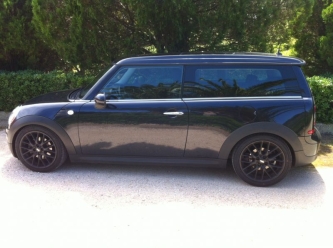 che assetto monti? vai di vetri posteriori oscurati.tiralo,tirlalo questo motore,come dice Luigi e anche io e il fap che si e intesato e rigenera.fai una strada a scorrimento veloce con il motore a 3000 giri/m , e vedi che non hai piu' problemi,ogni tanto fai un pieno con il gasolio speciale come il Blu Diesel.scusa ma quando la ventola e' in funzione senti un calo di prestazioni.
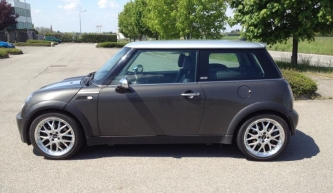 sotto r50 e r53 ci stanno da benissimo.
Account
Navigation
Cerca
Configure browser push notifications
Chrome (Android)
- Tap the lock icon next to the address bar.
- Tap Permissions → Notifications.
- Adjust your preference.
Chrome (Desktop)
- Click the padlock icon in the address bar.
- Select Site settings.
- Find Notifications and adjust your preference.
Safari (iOS 16.4+)
- Ensure the site is installed via Add to Home Screen.
- Open Settings App → Notifications.
- Find your app name and adjust your preference.
Safari (macOS)
- Go to Safari → Preferences.
- Click the Websites tab.
- Select Notifications in the sidebar.
- Find this website and adjust your preference.
Edge (Android)
- Tap the lock icon next to the address bar.
- Tap Permissions.
- Find Notifications and adjust your preference.
Edge (Desktop)
- Click the padlock icon in the address bar.
- Click Permissions for this site.
- Find Notifications and adjust your preference.
Firefox (Android)
- Go to Settings → Site permissions.
- Tap Notifications.
- Find this site in the list and adjust your preference.
Firefox (Desktop)
- Open Firefox Settings.
- Search for Notifications.
- Find this site in the list and adjust your preference.