


barkley34
Utente forum
-
Iscritto
-
Ultima visita
Tutti i contenuti di barkley34
-
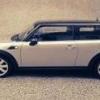
 bella la mini...brutto il nick name :)
 -
 questi cerchi sono spettacolari ! 18 " ?????
 -
 belle e brave !
 -
 un po pericolosa la foto in curva però :)
quoto!!!!!
un po pericolosa la foto in curva però :)
quoto!!!!! bellissima !
 spettacoloche mattiil paraurti anteriore non mi convince.......il posteriore lo trovo piu carino...gli interni molto belli ..!te la stanno rubando
 spettacolareera meglio se facevi un sondaggio...comunque B tutta la vitaeconomico13 perchè oggi è il 13 giugno ! ma va la 2013avvistata una gp 13 in zona varese / mendrisio
 bello lo sfondoalessandra ambrosio è una figa pazzesca
 che bomba ! complimentiil primo sembra un fake

Account
Navigation
Cerca
Configure browser push notifications
Chrome (Android)
- Tap the lock icon next to the address bar.
- Tap Permissions → Notifications.
- Adjust your preference.
Chrome (Desktop)
- Click the padlock icon in the address bar.
- Select Site settings.
- Find Notifications and adjust your preference.
Safari (iOS 16.4+)
- Ensure the site is installed via Add to Home Screen.
- Open Settings App → Notifications.
- Find your app name and adjust your preference.
Safari (macOS)
- Go to Safari → Preferences.
- Click the Websites tab.
- Select Notifications in the sidebar.
- Find this website and adjust your preference.
Edge (Android)
- Tap the lock icon next to the address bar.
- Tap Permissions.
- Find Notifications and adjust your preference.
Edge (Desktop)
- Click the padlock icon in the address bar.
- Click Permissions for this site.
- Find Notifications and adjust your preference.
Firefox (Android)
- Go to Settings → Site permissions.
- Tap Notifications.
- Find this site in the list and adjust your preference.
Firefox (Desktop)
- Open Firefox Settings.
- Search for Notifications.
- Find this site in the list and adjust your preference.