Vai al contenuto
View in the app

A better way to browse. Learn more.

mega MINI forum

A full-screen app on your home screen with push notifications, badges and more.

To install this app on iOS and iPadOS
  1. Tap the Share icon in Safari
  2. Scroll the menu and tap Add to Home Screen.
  3. Tap Add in the top-right corner.
To install this app on Android
  1. Tap the 3-dot menu (â‹®) in the top-right corner of the browser.
  2. Tap Add to Home screen or Install app.
  3. Confirm by tapping Install.

Presentazione

Featured Replies

Inviato

Salve a tutti,

mi chiamo Pietro e sono toscano.

Sono stato dal 2006 al 2009 possessore di una Mini Cooper 1.6 Parklane (che mi sono lasciato convincere a vendere causa allargamento famiglia 😭) e a breve spero di diventare possessore di una Copper S R53!!!

Spero che riusciate ad aiutarmi nell'impresa.

Si tratta di un acquisto per piacere, quindi con degli optional ben precisi! Non sará facile trovarla ma non ho fretta...

Un saluto a tutti


Inviato

Benvenuto nel Forum Pietro!!!

Inviato

Benvenuto 😉

  • 9 mesi dopo...
Inviato
  • Autore

Buongiorno a tutti, 

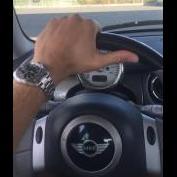
per completezza vi comunico che a distanza di 10 anni sono tronato in possesso della MIA Mini Cooper 1.6 Park Lane!!!

Ora parte l'opera di "restaurazione" per la quale sicuramente spesso vi disturberó...

Un saluto!!!


Account

Navigation

Cerca

Cerca

Configure browser push notifications

Chrome (Android)
  1. Tap the lock icon next to the address bar.
  2. Tap Permissions → Notifications.
  3. Adjust your preference.
Chrome (Desktop)
  1. Click the padlock icon in the address bar.
  2. Select Site settings.
  3. Find Notifications and adjust your preference.