


Classifica
-
GattoDelleNevi
Socio 20163Punti6.623Numero contenuti -

MassiMINI89
Socio 20151Punti8.646Numero contenuti -
CooperAndreaS
Utente forum1Punti1Numero contenuti -
anator
Utente forum1Punti948Numero contenuti




Contenuto Popolare
Mostra il contenuto con la massima reputazione di 27/06/2014 in tutte le aree
-
2 punti2 punti1 punto
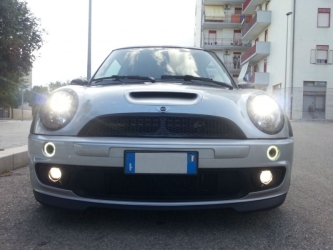
Dall'album: modifiche modifiche
1 punto1 punto1 punto1 punto1 punto1 punto1 punto1 punto1 punto1 punto1 puntoche sono una merd*a , questo vuole dire tullio e poi la jcw ha molte differenza rispetto a una S….se vuoi farla come una jcw adesso (mettendo la sua turbina,il suo filtro,i suoi freni,le sue barre ecc) non ti bastano 6000 euro chiaro, io considero i pezzi originali non comprati su ebay o dal tizio!1 punto1 puntoCiao ragazzi sono nuovo e volevo sapere se fate ancora i raduni qui a Roma a presto Andrea1 punto1 puntoil navigatore va, però non si accende più la MIINI! Boooo, chissà cosa è successo!!! AAAAAhhhhh.... :yahoo: :yahoo: :yahoo: TUTTO funziona ;-) come ti ho detto un pò di test da effettuare e qualche dato da prendere e posso darti la certezza del montaggio! Quando vuoi basta che mi dai un po' di tempo!!! Per il tachimetro poi lo cambi, mica è falso! Fondo scala a 240 km/h o 260 km/h cambia poco, l'importante è avere il navi!!! vuoi mettere radio boost CD vs mini navigation system??1 punto







Account
Navigation
Cerca
Configure browser push notifications
Chrome (Android)
- Tap the lock icon next to the address bar.
- Tap Permissions → Notifications.
- Adjust your preference.
Chrome (Desktop)
- Click the padlock icon in the address bar.
- Select Site settings.
- Find Notifications and adjust your preference.
Safari (iOS 16.4+)
- Ensure the site is installed via Add to Home Screen.
- Open Settings App → Notifications.
- Find your app name and adjust your preference.
Safari (macOS)
- Go to Safari → Preferences.
- Click the Websites tab.
- Select Notifications in the sidebar.
- Find this website and adjust your preference.
Edge (Android)
- Tap the lock icon next to the address bar.
- Tap Permissions.
- Find Notifications and adjust your preference.
Edge (Desktop)
- Click the padlock icon in the address bar.
- Click Permissions for this site.
- Find Notifications and adjust your preference.
Firefox (Android)
- Go to Settings → Site permissions.
- Tap Notifications.
- Find this site in the list and adjust your preference.
Firefox (Desktop)
- Open Firefox Settings.
- Search for Notifications.
- Find this site in the list and adjust your preference.