Skip to content
View in the app

A better way to browse. Learn more.

mega MINI forum

A full-screen app on your home screen with push notifications, badges and more.

To install this app on iOS and iPadOS
  1. Tap the Share icon in Safari
  2. Scroll the menu and tap Add to Home Screen.
  3. Tap Add in the top-right corner.
To install this app on Android
  1. Tap the 3-dot menu (â‹Ū) in the top-right corner of the browser.
  2. Tap Add to Home screen or Install app.
  3. Confirm by tapping Install.

zaro

Socio 2024
  • Joined

  • Last visited

  1. Arrivato grazie ðŸĪŸðŸŧ
  2. Ciao ragazzi, il 30% di sconto sui prodotti MINI c'ÃĻ sempre?
  3. Ser started following zaro
  4. zaro replied to zaro's topic in MINI ritratto
    Scusami ma leggo adesso.... diciamo che si fa sentire, per i miei gusti bastava anche un filo meno
  5. Molto bella ðŸĪŸðŸŧ
  6. Top ðŸĪŸðŸŧ Bravo!
  7. zaro replied to zaro's topic in MINI ritratto
    Grazie!
  8. zaro replied to zaro's topic in MINI ritratto
    Si fa sentire, non pensavo cosÃŽ tanto
  9. zaro replied to zaro's topic in MINI ritratto
    Grazie ragazzi!!!
  10. zaro replied to zaro's topic in MINI ritratto
    ðŸĪĢðŸĪĢðŸĪĢ I primi di maggio monto le sport poi ci troviamo una sera 😜
  11. zaro replied to zaro's topic in MINI ritratto
    Grazie!
  12. zaro replied to zaro's topic in MINI ritratto
    Ho deciso di cambiare scarico per non toglierlo per essere tra virgolette in regola
  13. zaro replied to zaro's topic in MINI ritratto
    Non si possono ancora leggere le nuove centraline... È dritto dopo opf
  14. zaro replied to zaro's topic in MINI ritratto
    Con il Milltek era troppo silenziosa
  15. zaro replied to zaro's topic in MINI ritratto
    Anche un po' illegale...ðŸĪŠ
  16. zaro replied to zaro's topic in MINI ritratto
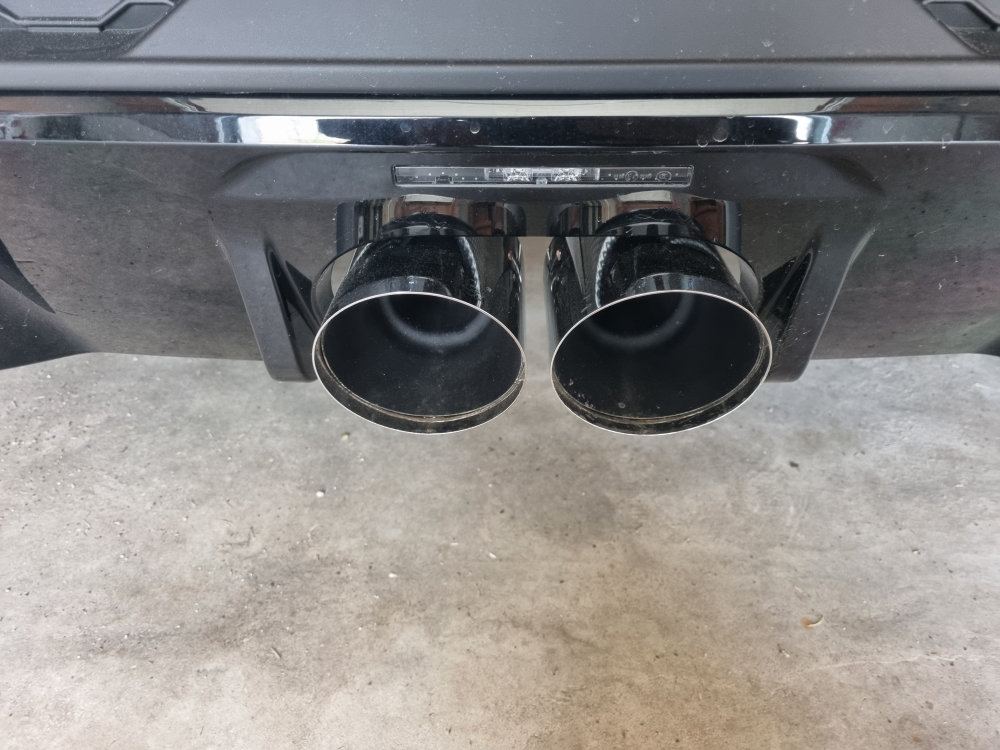
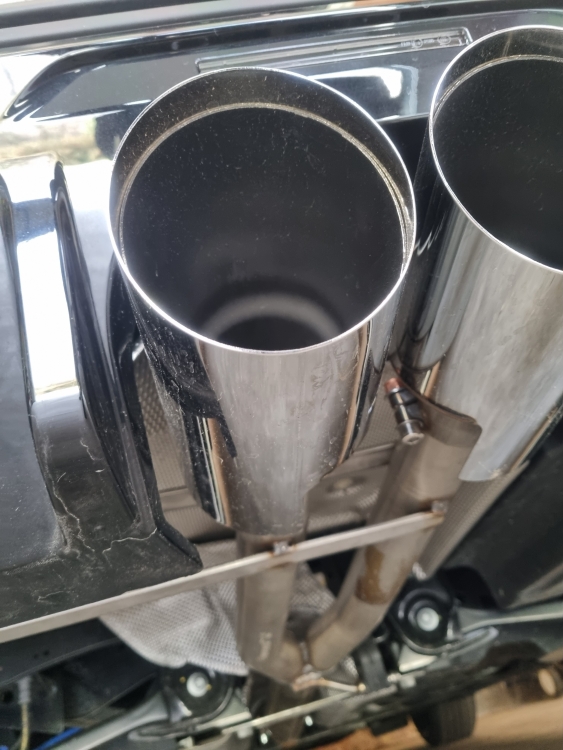
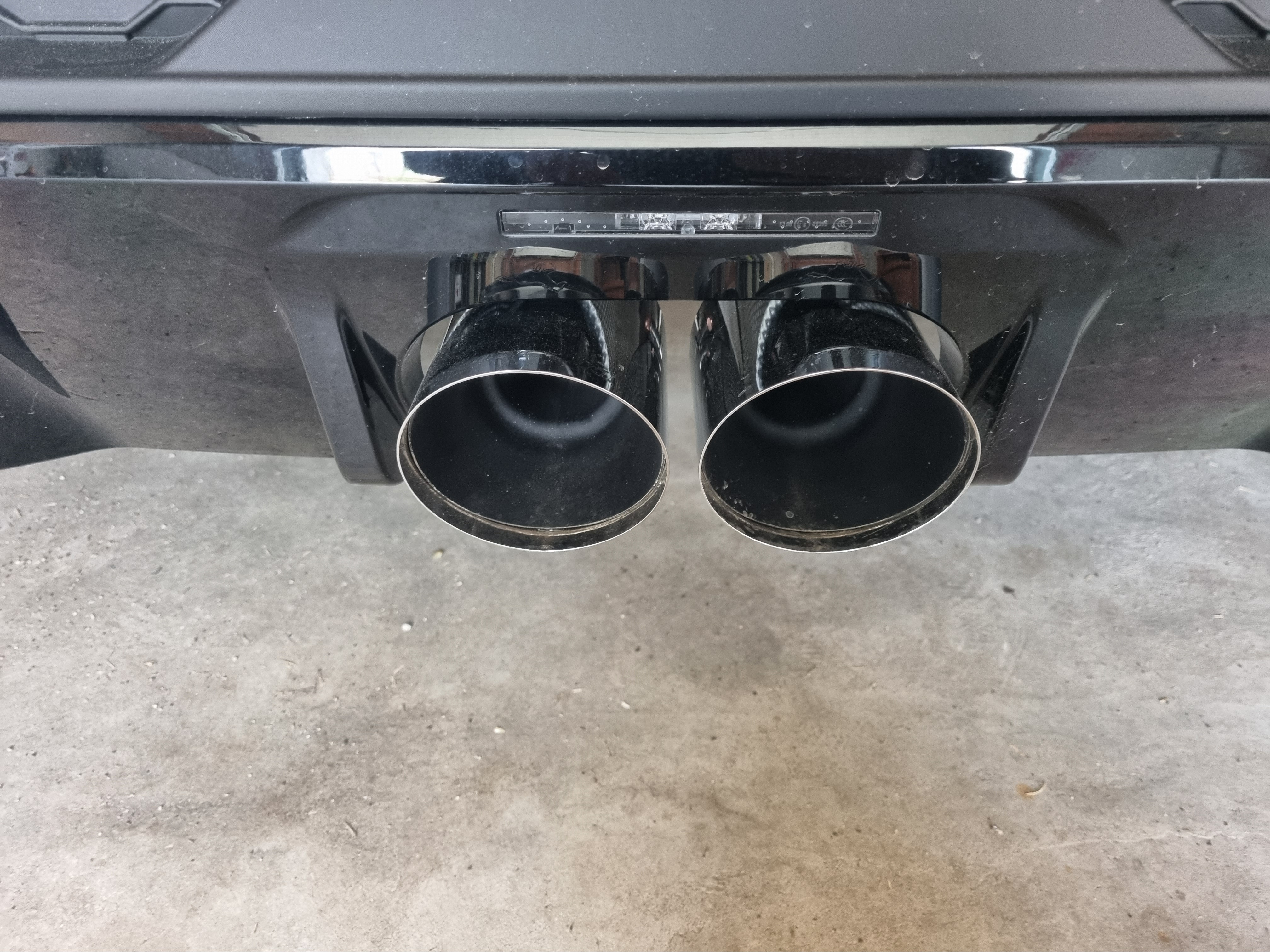
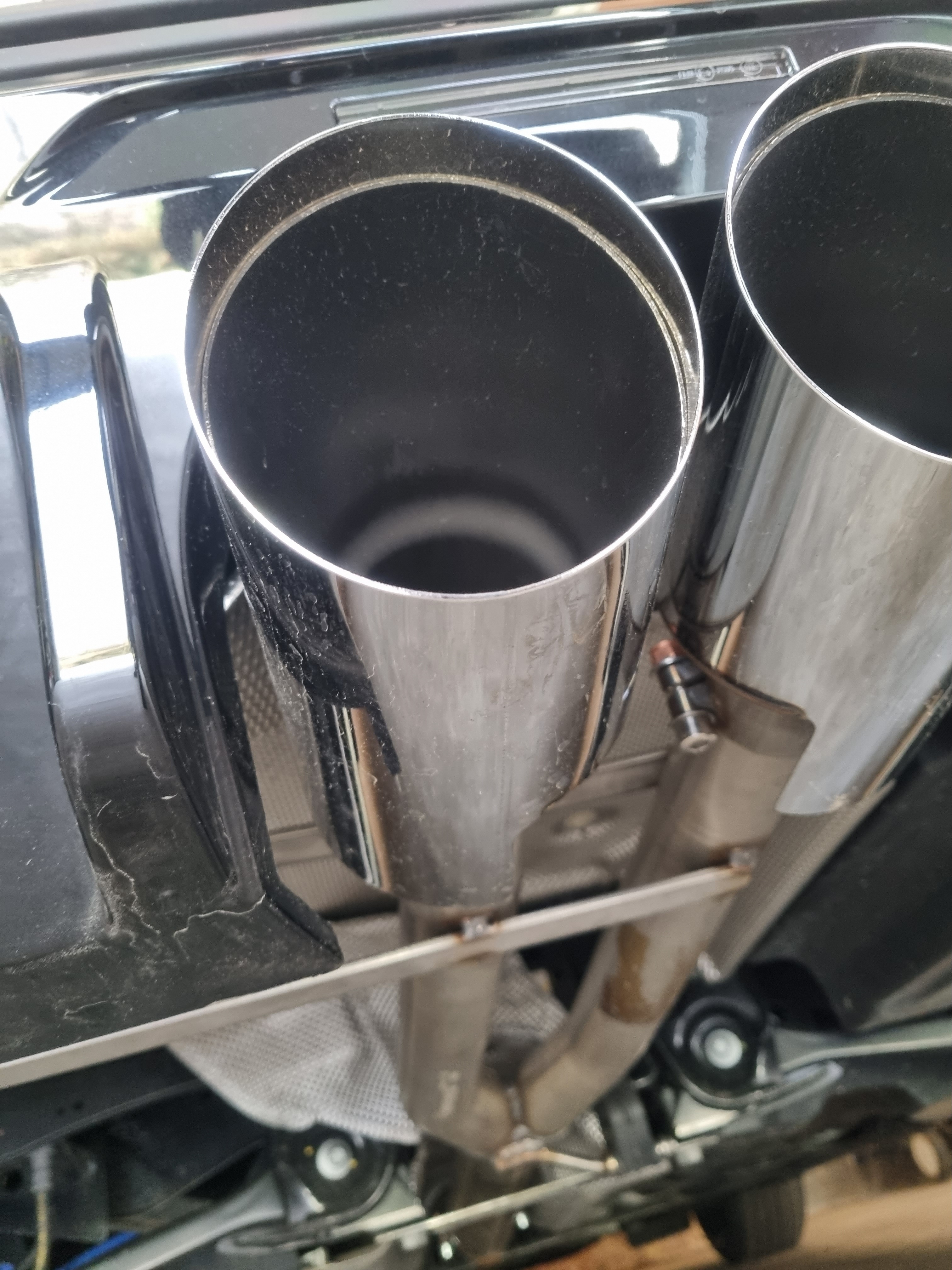
    Supersprint con terminali da 100mm

Account

Navigation

Search

Search

Configure browser push notifications

Chrome (Android)
  1. Tap the lock icon next to the address bar.
  2. Tap Permissions → Notifications.
  3. Adjust your preference.
Chrome (Desktop)
  1. Click the padlock icon in the address bar.
  2. Select Site settings.
  3. Find Notifications and adjust your preference.