Vai al contenuto
View in the app

A better way to browse. Learn more.

mega MINI forum

A full-screen app on your home screen with push notifications, badges and more.

To install this app on iOS and iPadOS
  1. Tap the Share icon in Safari
  2. Scroll the menu and tap Add to Home Screen.
  3. Tap Add in the top-right corner.
To install this app on Android
  1. Tap the 3-dot menu (⋮) in the top-right corner of the browser.
  2. Tap Add to Home screen or Install app.
  3. Confirm by tapping Install.

Nuovo driver da Torino!!
Featured Replies

Inviato

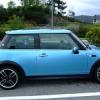
Ciao a tutti sono marco da Torino! E da qualche mese sono un possessore di una mini one d del 2005.

Devo dire che è davvero una gran macchina e questa sicuramente non sarà l ultima che avrò infatti sono in attesa di tempi migliori per prendere una cooper s d :D.

Cmq spero di trovarmi bene :)

Inviato dal mio GT-I9000 usando Tapatalk

Inviato

benvevuto.....

Inviato

Benvenuto!!! vedrai che ti troverai benissimo!!!!

Inviato

Hola ;)

Benarrivato fra noi :D

Inviato

Benvenutoooo!!!

Inviato

Benvenuto :) Finalmente uno di Torino :)

Inviato

Benvenuto!

Inviato
  • Autore
Benvenuto Finalmente uno di Torino
Inviato

welcome

Inviato

Da quanto ho capito non c'è ne son molti di torino :rolleyes: strano in piemonte è pieno di mini :)

Inviato dal mio GT-I9000 usando Tapatalk

Inviato

Benveniutoooooo 6 dei nostri......

Inviato

Benvenuto!!! :yahoo:

Inviato
  • Autore

Grazie a tutti :D

Inviato dal mio GT-I9000 usando Tapatalk

Account

Navigation

Cerca

Cerca

Configure browser push notifications

Chrome (Android)
  1. Tap the lock icon next to the address bar.
  2. Tap Permissions → Notifications.
  3. Adjust your preference.
Chrome (Desktop)
  1. Click the padlock icon in the address bar.
  2. Select Site settings.
  3. Find Notifications and adjust your preference.