Vai al contenuto
View in the app

A better way to browse. Learn more.

mega MINI forum

A full-screen app on your home screen with push notifications, badges and more.

To install this app on iOS and iPadOS
  1. Tap the Share icon in Safari
  2. Scroll the menu and tap Add to Home Screen.
  3. Tap Add in the top-right corner.
To install this app on Android
  1. Tap the 3-dot menu (⋮) in the top-right corner of the browser.
  2. Tap Add to Home screen or Install app.
  3. Confirm by tapping Install.

90-180 mia cooper sd
Featured Replies

Inviato

Mazza invidio un sacco la tua SD da 190 cv ;) Complimenti!

Inviato
  • Autore

Thanks! :D tra l'altro non so se hai notato che ai 170 ho scazzato a inserire la quinta perdendo tempo

Inviato

cavolo!! bella progressione!!

Inviato

Sbavooooo :post-8-1120395015: :post-8-1120395015: Top! ;)

Modificato da LucasCooper

Inviato

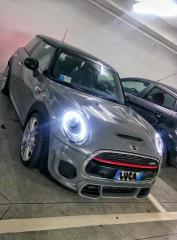
Ceramente notevole, comunque ecco un altro come me che gira a fendinebbia accesi :D

Inviato
  • Autore

Ceramente notevole, comunque ecco un altro come me che gira a fendinebbia accesi :D

Inviato

Ahah!! Ero anche fuori città quindi era quasi d'obbligo!!

Inviato
  • Autore

Si si immagino, ma io sono un po' esagerato, @Mario93 lo può confermare, i miei fendinebbia sono sempre accesi :D

Inviato

Sisi confermo! Gatto ha sempre i fendinebbia accesi! :)

Inviato

Purtroppo l'ipad non me lo apre :(

Inviato

Ti ringrazio! :) comunque immagino che spinga! Non vedo l'ora di vederlo!

Inviato

l'ho appena visto!! grandioso! a breve caricherò un video delle prestazioni della mia cooped d!

Account

Navigation

Cerca

Cerca

Configure browser push notifications

Chrome (Android)
  1. Tap the lock icon next to the address bar.
  2. Tap Permissions → Notifications.
  3. Adjust your preference.
Chrome (Desktop)
  1. Click the padlock icon in the address bar.
  2. Select Site settings.
  3. Find Notifications and adjust your preference.