Vai al contenuto
View in the app

A better way to browse. Learn more.

mega MINI forum

A full-screen app on your home screen with push notifications, badges and more.

To install this app on iOS and iPadOS
  1. Tap the Share icon in Safari
  2. Scroll the menu and tap Add to Home Screen.
  3. Tap Add in the top-right corner.
To install this app on Android
  1. Tap the 3-dot menu (⋮) in the top-right corner of the browser.
  2. Tap Add to Home screen or Install app.
  3. Confirm by tapping Install.

New Entry

Featured Replies

Inviato

Ciao, mi chiamo Fulvio sono molto contento di condividere la mia esperienza MINI con tutti Voi. Grazie. 
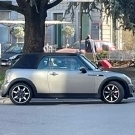
Ho una countryman D One 2012 ed una Cooper cabrio R52 del 2008

7C873714-3183-45E1-93D2-D41DC797BE20.jpeg

9357B583-F6C1-4C30-B4D1-414AC6AA3A02.jpeg

Inviato

Benvenuto e complimenti Fulvio! Devo dire che sei entrato dalla porta principale, due MINI in garage e iscrizione al club Megamini! 👍

Inviato

Benvenuti (a te e alle MINI)!

Inviato
15 ore fa, Austin92 ha scritto:

Benvenuto, tanta roba la R52 SIDEWALK 😍 

Benvenuto: concordo

Inviato

Benvenuto e complimenti. Davvero figus la combo Countryman e Cabrio! Io poi son di parte. Adoro la MINI Cabrio!

Account

Navigation

Cerca

Cerca

Configure browser push notifications

Chrome (Android)
  1. Tap the lock icon next to the address bar.
  2. Tap Permissions → Notifications.
  3. Adjust your preference.
Chrome (Desktop)
  1. Click the padlock icon in the address bar.
  2. Select Site settings.
  3. Find Notifications and adjust your preference.