GattoDelleNevi
Socio 2016
-
Iscritto
-
Ultima visita
Tutti i contenuti di GattoDelleNevi
-
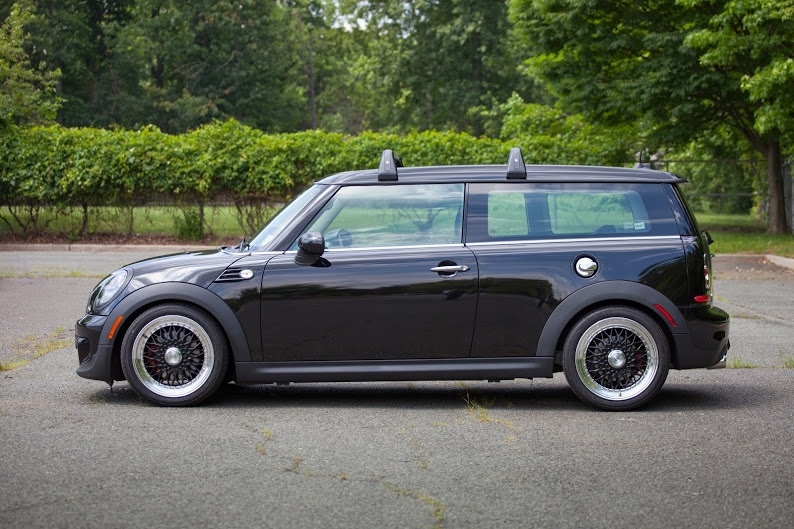
@Mazza93 è riuscito a farla mappareHo scritto l'altro giorno a un ragazzo americano sul North American Motoring, sulla sua Clubman monta dei BBS RS 17x7,5 et 35, dice che non sporgono per nulla Vi posto la foto della sua.
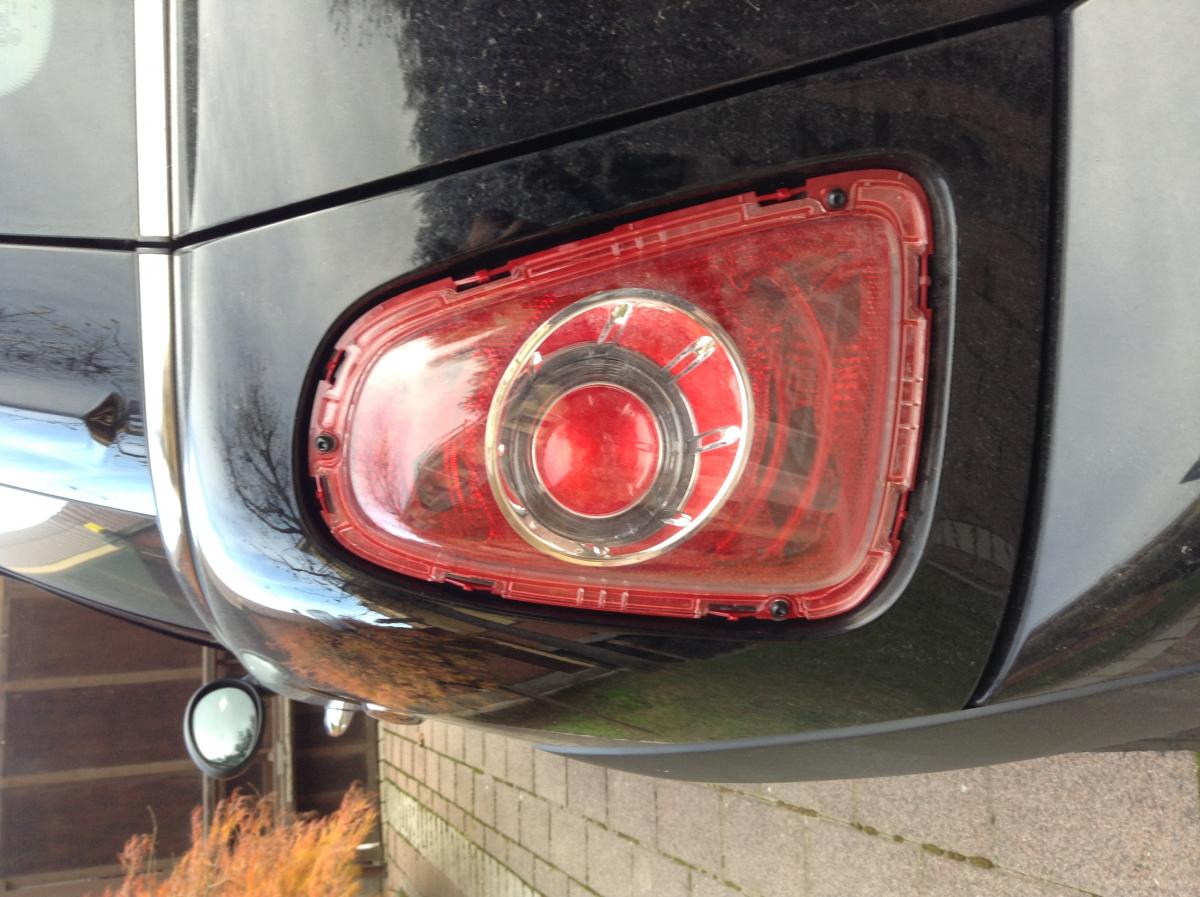
 Mi scuso se posso aver fatto confusione con anni o altre coseMINI: 1 Generazione (One, One D, Cooper, Cooper S, JCW, GP) R50: 2001 - 2007 (restyling del 2005) R52: 2001 - 2007 (cabrio) R53: 2001 - 2007 (solo le Cooper S) 2 Generazione (One, One D, Cooper, Cooper D, Cooper S, Cooper SD, JCW, GP) R56: 2007 - 2013 (restyling del 2010 denominate LCI) R55: 2007 - 2013 (Clubman) R57: 2007 - 2013 (cabrio) R58: 2012 - 2014 (Coupe) R59: 2012 - 2014 (Roadster) R60: 2010 - 2014 (Countryman, restyling 2014) R61: 2012 - 2014 (Paceman) 3 Generazione (One 55kw, One 75kw, One D, Cooper, Cooper D, Cooper S, Cooper SD) F56: 2014 - ora (3 porte o 5 porte)La plastica trasparente non puoi sostituirla, per toglierla devi scollarla. Sono comunque interessato anche io a sapere come smontare tutto il fanale
Account
Navigation
Cerca
Configure browser push notifications
Chrome (Android)
- Tap the lock icon next to the address bar.
- Tap Permissions → Notifications.
- Adjust your preference.
Chrome (Desktop)
- Click the padlock icon in the address bar.
- Select Site settings.
- Find Notifications and adjust your preference.
Safari (iOS 16.4+)
- Ensure the site is installed via Add to Home Screen.
- Open Settings App → Notifications.
- Find your app name and adjust your preference.
Safari (macOS)
- Go to Safari → Preferences.
- Click the Websites tab.
- Select Notifications in the sidebar.
- Find this website and adjust your preference.
Edge (Android)
- Tap the lock icon next to the address bar.
- Tap Permissions.
- Find Notifications and adjust your preference.
Edge (Desktop)
- Click the padlock icon in the address bar.
- Click Permissions for this site.
- Find Notifications and adjust your preference.
Firefox (Android)
- Go to Settings → Site permissions.
- Tap Notifications.
- Find this site in the list and adjust your preference.
Firefox (Desktop)
- Open Firefox Settings.
- Search for Notifications.
- Find this site in the list and adjust your preference.