lore
Utente forum
-
Iscritto
-
Ultima visita
Tutti i contenuti di lore
-
ARRIVATI I PISTONI............. :post-8-1120393919: :post-8-1120393919:Lascia perdere, fatti dei colli nuovi con un cata 200 celle, o al limite lo stock, il taglia incolla su i colli originali non fa differenze anzi in certi casi si svuota sottoQuando ho rimontato la mia se non si fa una pizzata...maremma maiala...vedi....... P.S se cammina vengo con la macchina altrimenti treno........... :post-8-1120395252: Luca vedrai che nel giro di qualche giorno ti rispondeoscar da quando sei diventato preparatore,,,,...... :post-8-1120393919: :post-8-1120393919: ma che fate di notte con Andrea.....??? :post-8-1120395070: :post-8-1120395070: :post-8-1120395070:di dove sei?Potrebbe essere anche il sensore pressione assoluta, il minimo instabile è un sintomo
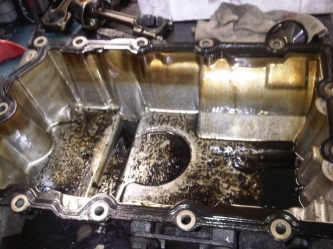 Cos' si può vedere quanto è importante fare cambi olio programmati, io dopo i 50.000 dopo ogni 10.000 15.000 km ho sempre sostituito l'olio pensa cosa non capita a chi rabbocca quando manca e lo cambia ogni 20.000 25.000 km
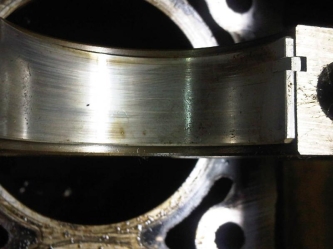
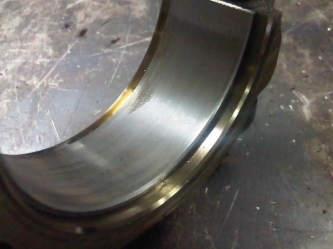
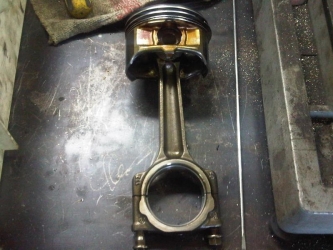
diciamo che dopo 8 anni di servizio è passabile
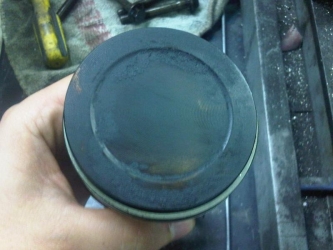 sai dopo 100.000 ma l'importante è che non c'è segno di detonazione
Account
Navigation
Cerca
Configure browser push notifications
Chrome (Android)
- Tap the lock icon next to the address bar.
- Tap Permissions → Notifications.
- Adjust your preference.
Chrome (Desktop)
- Click the padlock icon in the address bar.
- Select Site settings.
- Find Notifications and adjust your preference.
Safari (iOS 16.4+)
- Ensure the site is installed via Add to Home Screen.
- Open Settings App → Notifications.
- Find your app name and adjust your preference.
Safari (macOS)
- Go to Safari → Preferences.
- Click the Websites tab.
- Select Notifications in the sidebar.
- Find this website and adjust your preference.
Edge (Android)
- Tap the lock icon next to the address bar.
- Tap Permissions.
- Find Notifications and adjust your preference.
Edge (Desktop)
- Click the padlock icon in the address bar.
- Click Permissions for this site.
- Find Notifications and adjust your preference.
Firefox (Android)
- Go to Settings → Site permissions.
- Tap Notifications.
- Find this site in the list and adjust your preference.
Firefox (Desktop)
- Open Firefox Settings.
- Search for Notifications.
- Find this site in the list and adjust your preference.